
If you’ve ever hesitated before plugging a 100W laptop charger into your smartphone, you’re not alone. It feels like common sense: more power = more risk, right? With flagship phones costing $700 to $1,500 these days, the thought of frying a motherboard or ruining a battery is enough to make anyone reach for the slow old 10W brick instead.
The good news is the answer is way simpler than you might think. We’re breaking down everything from how fast charging works, to real battery health risks, to how to pick a safe charger and use it without stress. By the end, you’ll know exactly when to relax and when to be cautious.
Does 100W Fast Charging Speed Up Battery Aging?
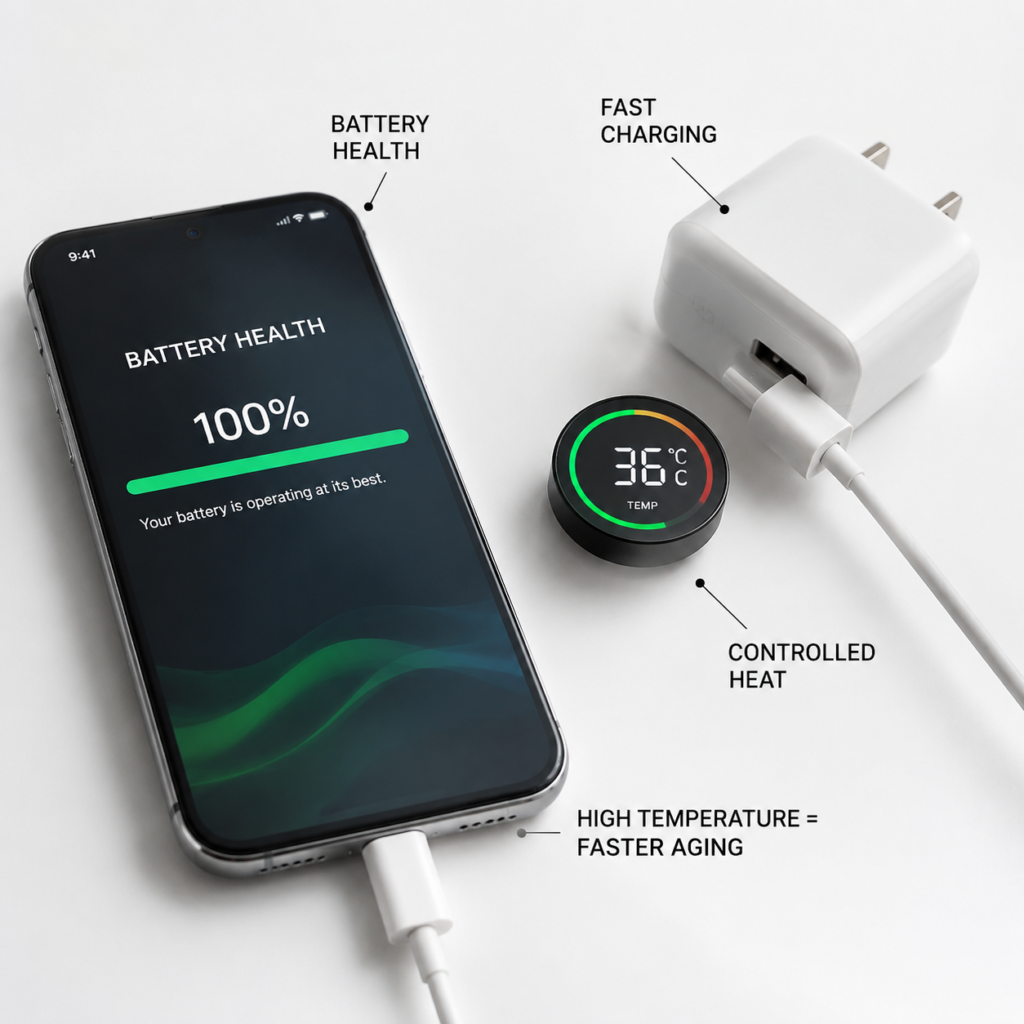
If you’re less worried about frying your phone and more worried about your battery dying halfway through the day after a year of fast charging, you’re in good company. It’s one of the most common fast charging questions out there.
Let’s cut to the chase: When used normally, legitimate 100W fast charging has a very small impact on battery aging – far less than most people assume.
Battery Aging Is Inevitable
First, let’s get one hard truth out of the way: All lithium-ion batteries start degrading the day they leave the factory. It doesn’t matter if you use fast charging or slow charging, or if you barely use the phone at all. As the battery goes through charge-discharge cycles and ages, its total capacity slowly drops. That’s a chemical property of lithium-ion batteries, and it’s irreversible.
Battery lifespan varies a lot by phone brand, cell design, and how you use your device. The general industry benchmark is that a healthy battery will retain around 80% of its original capacity after several hundred full charge-discharge cycles. For exact numbers, check your phone manufacturer’s official battery health guidelines.
The Real Factors That Speed Up Battery Aging
Fast charging power barely makes the top of the list when it comes to battery damage. These four factors have a far bigger impact on how long your battery lasts:
- Heat: High temperatures are the #1 cause of accelerated battery aging. Charging or using your phone in temperatures above 40°C (104°F) for long periods will make the battery degrade much faster.
- Charge cycle count: A full charge cycle is when you use 100% of the battery’s capacity (not every time you plug it in – using 50% one day and 50% the next counts as one cycle). The more full cycles your battery goes through, the more its capacity drops.
- Long-term storage at 100% or 0%: Leaving your phone plugged in at 100% for weeks at a time, or letting it sit dead for so long it won’t turn on, puts extra stress on the battery and speeds up aging.
- High-load use while charging: Playing graphics-heavy games, recording 4K video, or using turn-by-turn navigation while fast charging makes your phone generate extra heat. It’s a double whammy for battery health.
Legitimate Fast Charging’s Impact Is Carefully Controlled
So why don’t you have to stress about 100W fast charging ruining your battery? Because every reputable phone manufacturer designs their devices to handle it safely:
- Your phone constantly monitors battery temperature, charge level, and health. If it gets too hot or reaches a certain charge level, it automatically lowers the charging speed.
- Once your battery hits 80% (or similar, depending on the brand), it almost never uses full fast charging power. It switches to slow trickle charging to top off the last 20%.
- Most modern phones have built-in “optimized charging” or “battery protection” features that learn your daily routine. For example, if you charge your phone overnight, it will pause at 80% and finish charging the last 20% right before you usually wake up, cutting down on the time the battery spends at 100%.
All of these features are designed to minimize any wear from fast charging.
5 Habits That Hurt Your Battery Way More Than 100W Fast Charging
Instead of obsessing over whether to use 100W fast charging, focus on avoiding these five habits that are way worse for your battery:
- Charging your phone in hot environments, like a car parked in direct sun or under your pillow/blanket
- Using high-power apps (3D games, 4K video recording, GPS navigation) for hours while fast charging
- Leaving your phone plugged in at 100% 24/7, or storing it for months at a time with a dead battery
- Charging with unbranded, no-name chargers or frayed, low-quality cables
- Continuing to use a battery that’s swollen, overheats for no reason, or has other visible damage
How to Pick a Safe 100W Charger: Your No-BS Buying Checklist
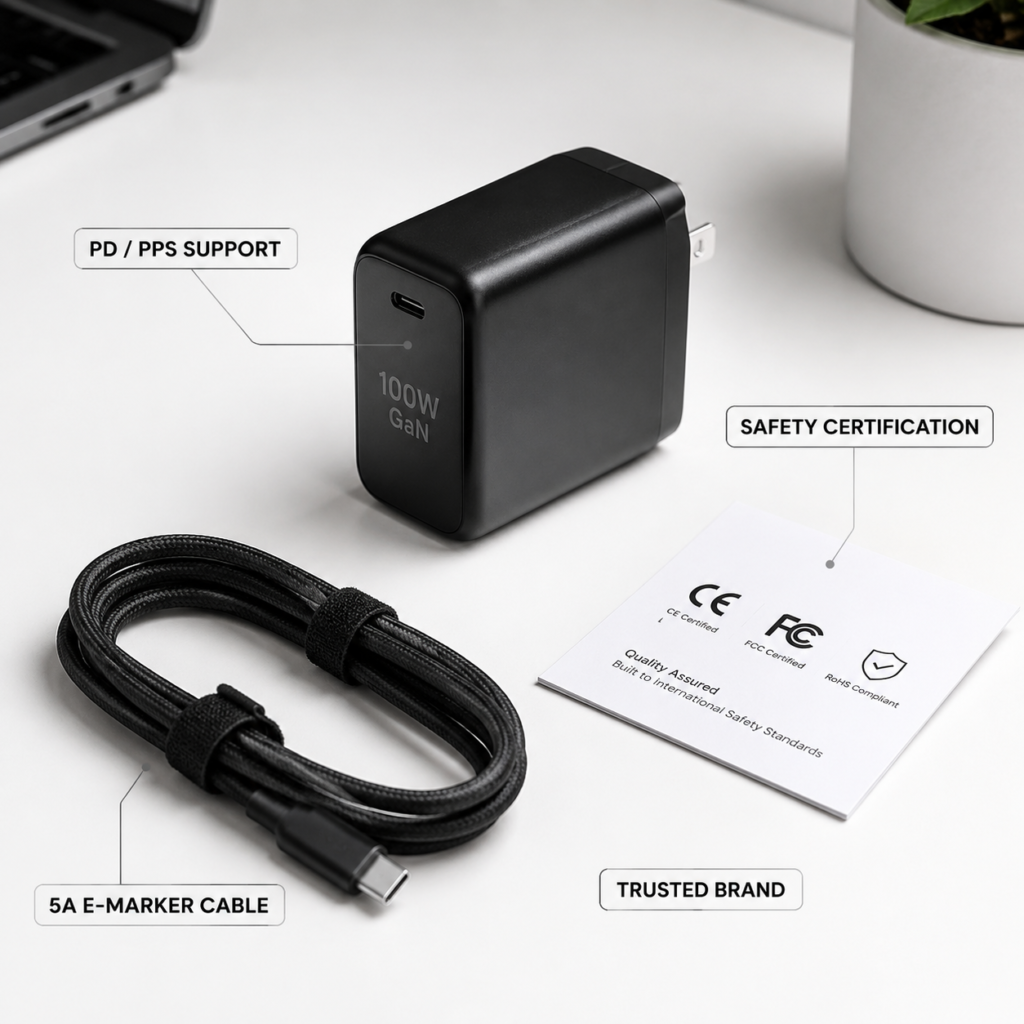
Now that you know legitimate fast charging is safe, how do you pick a good 100W charger? There are tons of cheap, poorly made options out there, so it’s easy to end up with a dud. Follow this step-by-step guide, and you’ll be fine.
Step 1: Figure Out What Your Phone Actually Supports
Before you buy anything, look up your phone’s official specs (check the brand’s website, not random Amazon listings) for three key details:
- The maximum charging power your phone supports
- Which fast charging protocols it works with (universal ones like USB PD/PPS, or brand-specific proprietary protocols)
- Whether you need an official or officially licensed charger/cable to hit the full advertised speed
For example: iPhones support USB PD fast charging up to ~27W, so any reputable PD charger will work fine. Many high-end Android phones have 100W+ proprietary fast charging systems – if you want the full speed, you’ll need to buy the brand’s official charger or an officially licensed one. If you use a third-party universal charger, it will still charge safely, just at a slower universal speed.
Step 2: Check the Charger’s Core Specs (Don’t Just Trust the Big “100W” on the Box)
Flashy marketing will scream “100W” on the front of the box, but you need to dig into the fine print on the spec sheet to make sure it works for your needs:
- Supported protocols: First, confirm it supports the protocol your phone uses (whether that’s USB PD/PPS or a specific brand’s proprietary standard).
- Single-port maximum power: A lot of multi-port chargers advertise “100W total power,” but a single USB-C port might only put out 65W. If you want to charge a 100W phone at full speed, make sure the single-port output hits 100W.
- Output voltage/current levels: Check that the charger’s output levels match the ones your phone uses for fast charging. For example, if your phone uses 10V/6.5A for its 100W proprietary charge, a charger without that level won’t hit full speed.
- Multi-port power distribution: If you’re buying a multi-port charger, check how power is split when multiple devices are plugged in. For example, some 100W dual-port chargers drop to 30W per port when both are in use – make sure that’s enough for your devices.
Step 3: Verify Safety Certifications for Your Region
Safety certifications are non-negotiable for any charger. The required certifications vary by region, so always check for the ones that apply to where you live:
- Mainland China: Look for the mandatory CCC (3C) safety certification.
- United States: Prioritize chargers with UL safety certification. Note that FCC certification only covers electromagnetic compatibility (interference with other devices), not electrical safety – don’t confuse the two.
- European Union: Look for CE certification.
- Japan: Look for PSE certification.
- For USB PD compatibility, choose chargers with USB-IF certification. This means the charger has been tested to meet official USB PD standards and will work reliably with PD devices.
- For Apple accessories, look for MFi (Made for iPhone) certification for cables. Note that MFi is a compatibility certification for Apple devices, not a general charger safety certification.
Step 4: Use a Cable Rated for 100W Fast Charging
A 100W charger is only as good as the cable you use with it. For 100W USB-C fast charging:
- You need a cable rated for 5A current with an E-Marker chip. Regular 3A USB-C cables can only handle up to ~60W, so they’ll charge slower and may overheat if you try to push more power through them.
- Always check the cable’s specs before buying – don’t just grab an old random USB-C cable and assume it works for 100W.
- If your cable is frayed, has loose connectors, has blackened pins, or gets noticeably hot during charging, replace it immediately. Don’t risk it.
1-Minute Buying Checklist
If you don’t want to memorize all that, just check these five boxes before you buy. If all are yes, the charger is almost certainly safe and reliable:
✅ Supports the fast charging protocol your phone uses
✅ Clearly lists single-port maximum power and multi-port power distribution rules
✅ Has the required safety certification for your region
✅ Comes with (or is compatible with) a 5A E-Marker USB-C cable
✅ Sold by a reputable brand, official store, or authorized retailer
Everyday Use Rules for 100W Chargers
Once you have a good quality 100W charger, there are a few common use scenarios people always ask about. Let’s clear them up one by one.
Is It Safe to Charge Low-Power Devices (Earbuds, Watches, Slow-Charging Phones) With a 100W Charger?
Yes, it’s completely safe. A legitimate 100W charger will automatically detect how much power the device needs and deliver only that amount – it won’t force 100W into a 5W wireless earbud case. It’s exactly the same as plugging a small lamp into a high-power wall outlet.
If you notice the device or cable getting unusually hot during charging, unplug it immediately. It could be a sign of a faulty cable or device issue.
Can You Use a Cross-Brand or Laptop 100W PD Charger for Your Phone?
Yes, you can. As long as both the phone and charger support a universal protocol like USB PD or PPS, it will charge safely. The only catch is you probably won’t hit your phone’s maximum proprietary fast charging speed.
For example, if you use a 100W USB PD laptop charger to charge a phone with a 100W brand-specific proprietary fast charge, it might only charge at 30W. That’s not a safety issue – it just means the protocols don’t match for full speed. Slow charging doesn’t equal unsafe charging.
Tips for International Travel
Most reputable 100W chargers support 100–240V wide voltage input, which means they work in almost every country in the world without a voltage converter. You’ll just need a plug adapter for the local outlet type.
A few travel tips:
- Buy a high-quality plug adapter from a reputable brand. Cheap, no-name adapters can have loose connections that overheat and cause issues.
- Double-check the outlet type for your destination (Type A/B for North America, Type C/F for most of Europe, Type G for the UK, etc.) before you leave.
- If you’re moving abroad long-term, it’s best to buy a charger certified for that region – it will be safer and easier to get warranty support if something goes wrong.
Everyday Maintenance Tips
Follow these simple tips to keep your charger and battery working well for as long as possible:
- Avoid charging in hot, humid, or flammable environments – like a car parked in direct sun, a steamy bathroom, or under your pillow.
- Keep your phone ventilated while charging. If you have a thick, bulky case and your phone gets hot during fast charging, take the case off while it charges.
- Turn on your phone’s built-in “optimized charging” or “battery protection” feature – it’s one of the easiest ways to extend battery life.
- Every few months, check your phone’s charging port for dust or lint buildup, and inspect your cables for fraying or damage. Make sure the wall outlet you use isn’t loose or wobbly.
What to Do If Something Goes Wrong
While rare, charging issues can happen. Know what to do to stay safe:
- If your phone, charger, or cable gets so hot you can’t hold it, or you notice a burning smell, bulging, or physical deformation, unplug it immediately and stop using it.
- If you see smoke, notice a swollen battery, or see battery leakage, move the device away from anything flammable right away. Contact the brand’s customer support or a professional repair service – never try to take apart a damaged battery or charger yourself.
- If the wall outlet sparks, has burn marks, or you feel an electric shock when plugging/unplugging, turn off the power at the circuit breaker immediately and call a licensed electrician to inspect the outlet.
Common Myths and Frequently Asked Questions
Let’s bust the four most persistent fast charging myths once and for all, then answer the questions we get most often.
4 Common Fast Charging Myths Debunked
❌ Myth 1: A 100W charger will definitely fry your phone
✅ Fact: Reputable 100W chargers negotiate power with your phone via charging protocols, and only deliver exactly what the phone asks for. Normal use won’t damage your device.
❌ Myth 2: Fast charging will ruin your battery in a few months
✅ Fact: Heat and poor charging habits are the main causes of accelerated battery aging. Legitimate 100W fast charging has a very small impact on battery life, so there’s no need to panic about it.
❌ Myth 3: All third-party chargers are unsafe
✅ Fact: Third-party chargers from reputable brands, with proper safety certifications and matching protocols, are perfectly safe to use. Some are even better made than cheap, low-quality official brand chargers.
❌ Myth 4: If a charger says 100W, it will charge my phone at 100W
✅ Fact: Full 100W charging depends on your phone supporting that speed, matching protocols, a 5A E-Marker cable, and (for multi-port chargers) no other devices drawing power. The sticker on the box only tells you the charger’s maximum capability, not what your phone will actually get.
Frequently Asked Questions
Q: My phone only supports 20W/30W. Is it safe to use a 100W charger?
A: Yes, as long as it’s a legitimate, certified 100W charger. It will automatically match the power level your phone needs, and won’t send extra power just because it can deliver more.
Q: Can I use a 100W charger to charge my iPhone, Samsung Galaxy, wireless earbuds, or smartwatch?
A: Yes, as long as the charger is certified and the cable is in good condition. Charging speed will depend on what the device supports, but it won’t damage anything.
Q: Will using a 100W USB PD laptop charger damage my phone?
A: Almost certainly not. The USB PD protocol will automatically negotiate a safe power level for your phone. At worst, it will charge slower than your phone’s official fast charger – it won’t cause damage.
Q: Why isn’t my 100W charger charging my phone at 100W?
A: There are a few common reasons: your phone doesn’t support 100W fast charging, the charging protocols don’t match, you’re using a cable that isn’t rated for 5A/E-Marker, other devices are plugged into a multi-port charger and drawing power, your phone is too hot and has throttled charging speed, or your battery is already mostly full and has switched to trickle charging.
Q: Does 100W fast charging make batteries age faster?
A: The impact of legitimate 100W fast charging is usually minimal. The real culprits behind faster battery aging are high heat, high-load use while charging, and long-term storage at full or empty charge.
Q: Is it normal for my phone to get warm while fast charging?
A: A slight warm feeling is normal during fast charging – that’s expected with higher current flow. But if it gets so hot you can’t comfortably hold it, has a burning smell, is bulging, or overheats repeatedly, stop using it immediately and troubleshoot the issue.
Q: Can I use a 100W charger during a thunderstorm?
A: We don’t recommend it. Lightning can cause power surges through the electrical grid that can damage your charger and phone, or even create a shock risk. It’s best to avoid charging during thunderstorms, or use a surge protector with proper surge protection ratings.
Final Takeaways
At the end of the day, 100W fast charging is safe when used correctly. Just remember these three simple rules:
- If it’s certified, protocol-matched, and paired with a good cable, it’s safe: A legitimate 100W charger used normally won’t damage your phone. There’s no need to stress about it.
- The real risks are easy to spot: Unbranded no-name chargers, charging in extreme heat, frayed/damaged cables, and already faulty batteries are the things you need to watch out for – not the 100W label itself.
- Fast charging is meant to make your life easier: Don’t force yourself to use a slow 10W charger just to “protect your battery.” As long as you keep your phone cool while charging, turn on the built-in battery protection features, and check your accessories for damage every now and then, you’re doing everything you need to.
Official Standards and References
If you want to learn more about the technical and safety standards behind fast charging, you can reference these official specifications:
- USB-IF USB Power Delivery (PD) 3.0/3.1 Specification
- Programmable Power Supply (PPS) Specification
- IEC 62368-1: Audio/Video, Information and Communication Technology Equipment – Safety Requirements
- GB 4943.1: Safety Requirements for Audio/Video, Information and Communication Technology Equipment (China)
- Mainland China Mandatory CCC (3C) Certification
- Common international safety and compliance standards: UL (US Safety), PSE (Japan Electrical Safety), CE (EU Compliance), FCC (US Electromagnetic Compatibility)