
You know that moment when you drop your phone in the sink, fish it out, dry it off, and it still works? And then there’s the other time—a little rain, a few splashes, and suddenly your charging port is dead.
What’s the difference? It comes down to one thing: whether the USB-C port is waterproof.
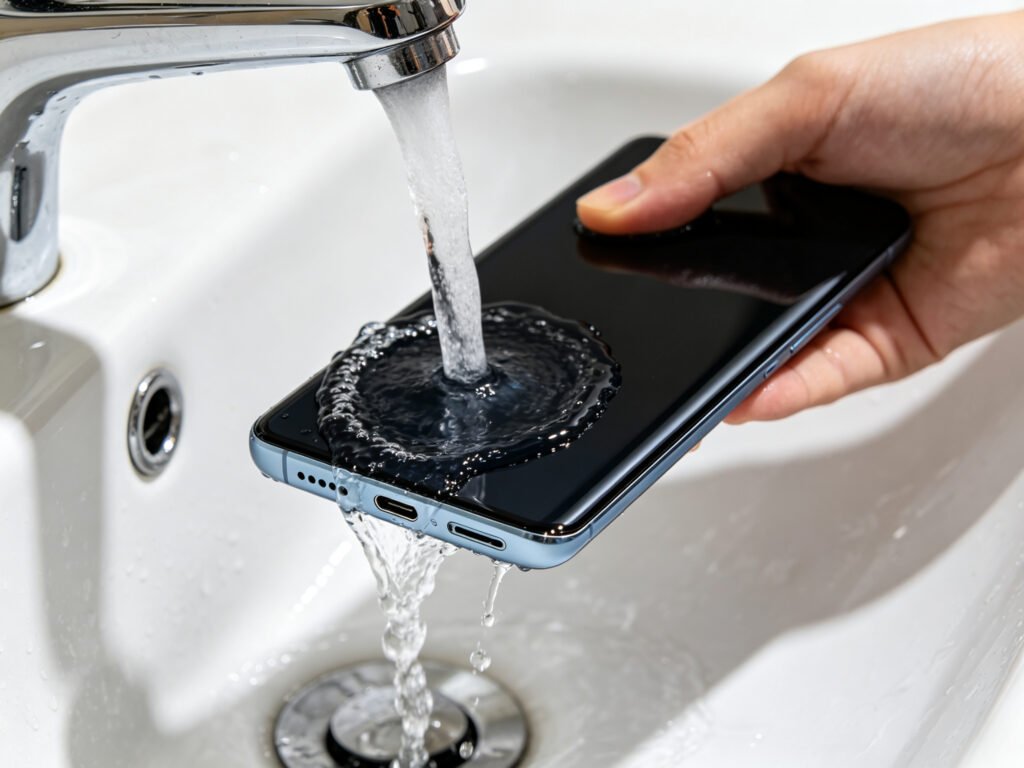
A waterproof USB-C port isn’t some fancy new technology. It’s just a regular USB-C port with extra seals inside. It charges, transfers data, and outputs video exactly like any other port. The only difference is that water and dust can’t get inside. So when you accidentally spill something on it, it’s not game over.
And no, it’s not just a little rubber plug. The real work happens inside—at every seam, every gap, every possible place water could sneak through.
What Makes It Different from a Normal Port?
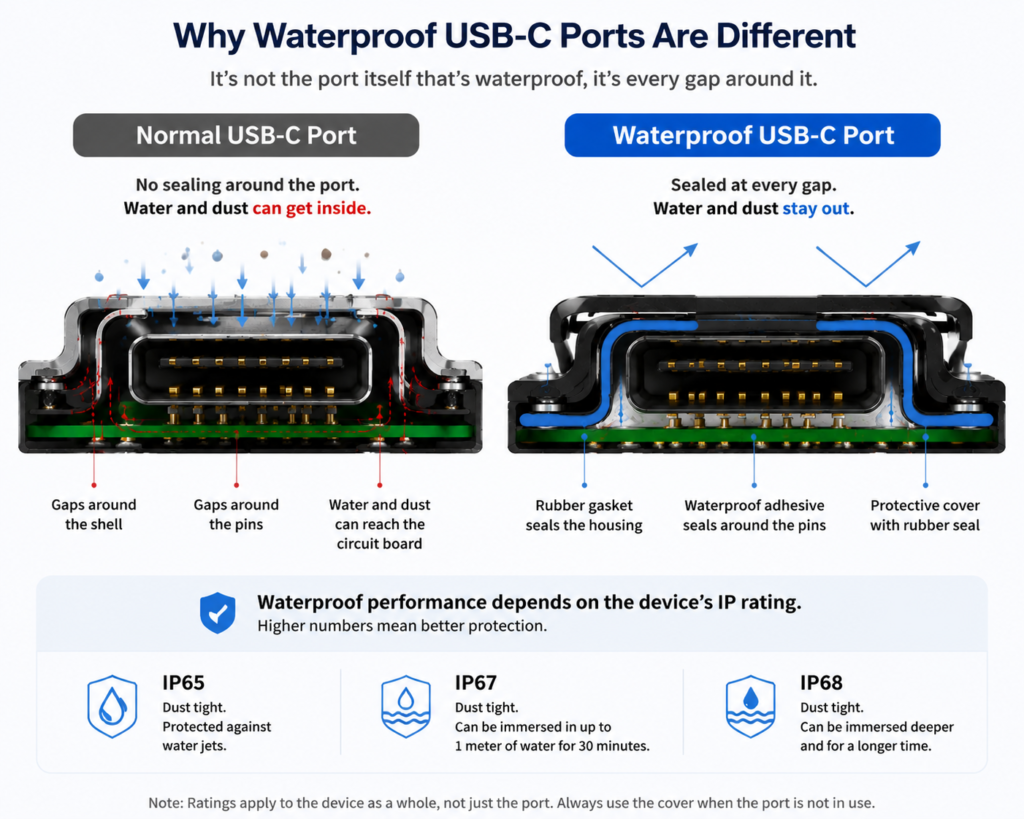
Think of a normal USB-C port like a door with gaps around the frame. Water hits it, and it flows right through those gaps into your device. Once water gets in, you’re looking at short circuits, rust, or a fried motherboard.
A waterproof port seals all those gaps. Rubber rings, waterproof glue—whatever it takes to block the water at the door. So when water splashes on it, it just sits on the outside. It never reaches the electronics inside.
Here’s the short version:
- Normal port: Has gaps. Water gets in. No real protection. Maybe handles a little sweat, that’s it.
- Waterproof port: All gaps sealed. Water stays out. Handles splashes, rain, and even a quick dunk.
For you, that means no panic when you wash your hands, no stress when you get caught in the rain, and if you drop it in water and grab it fast, you’re probably fine. You can even rinse the port with water when it gets dirty.
What Kinds of Devices Use Waterproof Ports?
More than you’d think.
Phones and tablets—especially flagship models and rugged ones. Smartwatches, fitness bands, and wireless earbuds. Action cameras, bike computers, and handheld GPS units. Medical devices that need to be washed and disinfected. Car electronics that live in the open air. Industrial gear and charging stations that face dust and water every day.
If it goes outside, gets sweaty, or might get splashed, it probably needs a waterproof port.
IP Ratings Made Simple
You’ve seen IP67 and IP68 on spec sheets. IP stands for Ingress Protection. The first number is dust protection (0 to 6). The second is water protection (0 to 9K). Higher numbers mean better protection.
But you don’t need to memorize the scale. Just know the common ones:
- IP65: Totally dustproof. Can handle low-pressure water jets from any direction. Good for rain or sink splashes.
- IP67: Totally dustproof. Can sit in a meter of water for 30 minutes at room temperature. Think of dropping your phone in a sink or a bucket and pulling it out right away—no problem. This is the one you’ll see most often.
- IP68: Totally dustproof. Can stay underwater longer and deeper, but the exact limits depend on the manufacturer. Generally tougher than IP67.
There’s also IP69K—it handles high-pressure, high-temperature water. That’s for factories and food processing. You probably don’t need it.
One thing to remember: higher isn’t always better for your everyday life. IP67 is plenty for most people. Don’t pay extra for something you won’t use.
How Does Waterproofing Actually Work?
It’s simple: seal every possible leak.
Around the metal part of the port, there’s a rubber O-ring made of silicone or fluororubber. When everything is screwed tight, the rubber squishes flat, blocking any water from sneaking through the seam. Around the metal pins, they put waterproof glue, so water can’t follow the pins down to the circuit board. When you’re not using the port, a little cover goes over it. That cover has a rubber seal too—it’s your first line of defense. And inside, a lot of devices coat the circuit board with a special nanocoating. Even if a tiny bit of moisture gets past everything else, it’s less likely to short out.
Some devices go all the way and weld the plastic parts together into one solid piece—no seams at all. That’s the most reliable seal, but it also means repairs are harder. Most everyday devices use a combo of rubber seals, glue, and a protective cover.
Using It Right
A waterproof port won’t stay waterproof forever if you don’t treat it right.
Here’s what to keep in mind:
- After you unplug, put the cover back on. And before you snap it shut, check for sand or hair stuck in the seal.
- If the port gets wet on the outside, wipe it dry first. If you see water drops inside the port, don’t plug in. Shake it out and let it air dry before charging.
- If your device falls into seawater, pool water, or soapy water, rinse it with fresh water and dry it. That stops salt and chemicals from slowly eating your seals.
- Don’t bring your device into a hot bath or sauna. Steam is trickier than liquid water—its molecules are smaller, so it can slip through seals more easily.
- Never plug or unplug while the device is underwater. Any rating, any device—just don’t.
- If you drop your phone, the internal seals might shift or crack. After a drop, pay extra attention around water.
- And one more thing: if your device has been opened for repair, the original waterproofing is pretty much gone. Treat it like a regular port until you get it resealed.
Common Misconceptions
“Waterproof means I can swim with it.”
No. IP ratings are tested in still, fresh water—more like a bucket than a pool. The force of swimming, the chlorine, the hot steam in a shower—all of those can go beyond what the rating covers.
“Waterproofing lasts forever.”
It doesn’t. Rubber seals age, harden, and crack over time. A drop or a repair can break the seal. After two or three years, you can’t assume it’s still fully waterproof.
“A waterproof cover makes it bulletproof.”
Not if it’s not closed all the way, or if there’s dirt in the way. The cover is your first layer, but the internal seals are what really matter.
“It stays waterproof while a cable is plugged in.”
Wrong. When a cable is inserted, the port is open—it’s not sealed. The waterproofing only works when the cover is closed or nothing is plugged in.
“I can blast it with a pressure washer.”
Please don’t. High-pressure water, hot water, soap, alcohol—all of those can damage the seals. Just use room-temperature fresh water and a soft cloth.
Everyday Maintenance
Keep it simple.
- Rinse with fresh water if it gets dirty. Wipe dry with a soft cloth. Don’t use alcohol, disinfectant, or any harsh chemicals directly on the port.
- Check the rubber seal in the cover every so often—look for cracks, wear, or anything stuck in it.
- Never poke at the rubber with needles, toothpicks, or anything sharp. Once you puncture it, it’s done.
- Rubber seals usually start to go after about two to three years. If the cover feels loose or the rubber feels hard and stiff, replace the cover. They’re cheap and easy to find.
The Bottom Line
A waterproof USB-C port isn’t magic. It’s just a normal port with its gaps sealed. It’s great at handling splashes, rain, and the occasional dunk. But it doesn’t make your device invincible, and it doesn’t last forever.
Know what it can and can’t do, treat it with a little care, and it’ll keep your devices safe for years.