
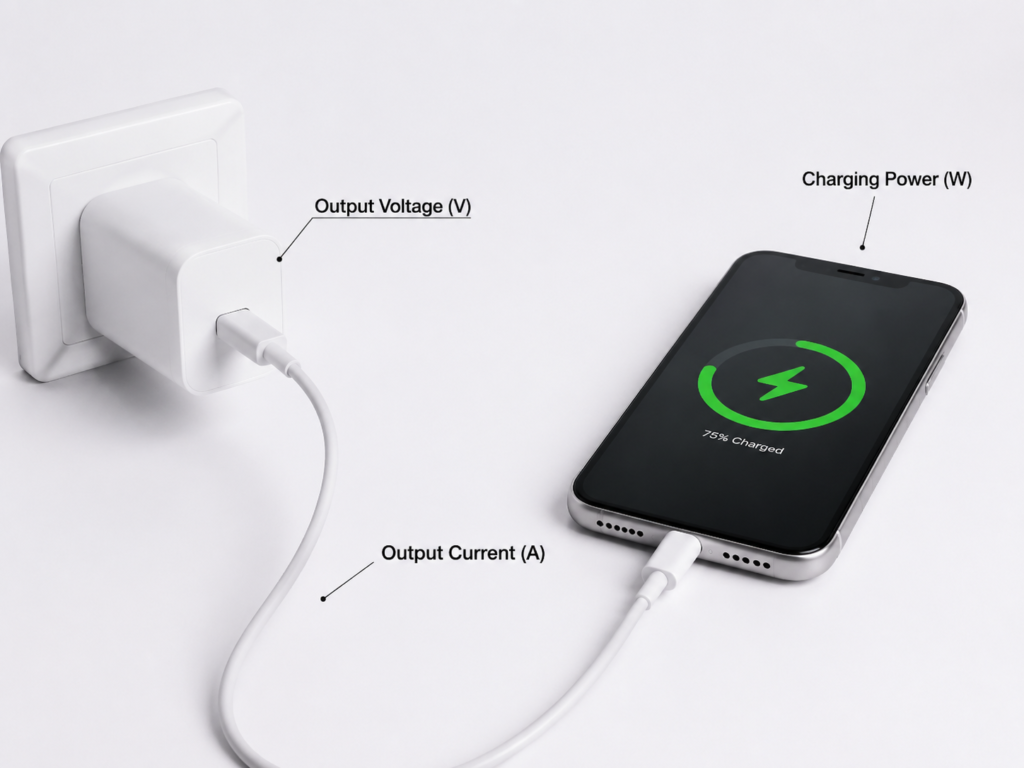
Quick Summary: A charger’s output voltage (V) is the force that pushes power to your device. Output current (A) measures how much electricity flows through the cable each second. Multiply the two, and you get power (watts), which decides how fast your device charges. Fast charging works by raising voltage, current, or both — but only if your phone and charger share the same “charging language” to agree on safe settings.
If you’ve ever looked at the tiny text on your phone or laptop charger and wondered what “5V⎓3A” or “20V⎓5A” actually means, you’re not alone. Voltage and current are the two key numbers that tell you how a charger works, how fast it will charge your gear, and whether it’s safe to use.
This guide breaks down everything a beginner needs to know, no engineering degree required. We’ll explain what voltage and current are, how they work together to create charging power, how fast charging changes them, and how to read charger labels correctly.
Core Basics: What Are Voltage, Current, and Power?
Every charger has three key specs that work together to deliver energy to your device.
Voltage (V): The “Push” of Electricity
Think of voltage like water pressure in a garden hose. Higher pressure pushes more water through the hose. In the same way, higher voltage pushes more electrical energy through your charging cable.
Keep in mind: higher voltage alone won’t charge your phone faster. Your phone has to be built to accept that voltage level.
Current (A): The “Flow” of Electricity
Current, measured in amps (A), measures how much electricity flows through the circuit every second. It tells you how much electrical “flow” the charger can provide at a given voltage.
Your phone controls how much current it actually takes — the charger just provides the maximum it can safely handle.
Power (W): The Total Charging Speed
Power, measured in watts (W), is the total rate of energy transfer. The simple formula is:
Power (W) = Voltage (V) × Current (A)
More watts usually means faster charging, but only if the charger and your device agree on a safe voltage and current setting first.
Understanding Charger Output Voltage
Not all chargers work the same way. Basic, standard chargers only output a steady 5V. Fast chargers can switch between different voltage levels to charge your device faster.
Common Voltage Levels
- 5V: The standard USB voltage. It works with almost every USB device and is the default “slow charge” level.
- 9V / 12V: The most common fast-charging levels for smartphones and tablets.
- 15V / 20V: Higher levels used for bigger devices like laptops and portable monitors.
How Output Voltage Behaves
- When nothing is plugged in: Some chargers show a tiny difference in voltage. This is normal and doesn’t mean the charger is broken.
- When your device is plugged in: After a quick “handshake” to confirm safe settings, the charger locks into the correct voltage.
- Fast charging mode: The charger and your device communicate first, then switch to a higher voltage to speed up charging.
All reputable chargers follow global safety rules from groups like USB-IF, IEC, and UL to keep voltage within safe limits.
Understanding Charger Output Current
Current determines how much energy can be delivered at a given voltage. It matters just as much as voltage for real-world charging speed.
Rated Output Current
The rated current on a charger’s label is the maximum steady current it can safely deliver over long periods. Think of it as the charger’s reliable, day-to-day maximum.
Important: The actual current your device uses isn’t fixed. It depends on the charger, your device, how full the battery is, and the quality of your cable.
How Charging Current Changes During Use
Your phone doesn’t charge at full speed the whole time it’s plugged in. For the lithium-ion batteries in almost every phone and laptop, charging speed shifts as the battery fills up:
- When the battery is low: Charging is fastest, with a strong, steady flow of current.
- When the battery is almost full: The current slows down gradually to protect the battery and keep it healthy long-term.
How Cables Affect Current
Cheap, thin cables make it harder for electricity to flow through. This is why a low-quality cable can turn fast charging into slow charging. For high-speed charging, you need a well-made, properly rated cable.
How Voltage and Current Determine Charging Speed
At the most basic level, faster charging means increasing voltage, increasing current, or both. There are two main approaches used in modern fast charging.
Core principle: To get more charging power, you raise voltage, raise current, or raise both at the same time.
Approach 1: Higher Voltage, Lower Current
Raising the voltage lets you get more power without needing extremely high current. This is easier on most cables, but you still need a good-quality cable rated for the power level. High-power USB-C chargers still need cables built to handle their current. USB PD and Qualcomm Quick Charge use this approach.
Approach 2: Lower Voltage, Higher Current
This method boosts power by increasing current instead of voltage. It requires very high-quality, low-resistance cables, and the charger needs good cooling to handle extra heat.
How Power Matching Works
- If the charger has more power than your device needs: Your device only takes what it needs, and charges at full speed. No damage happens.
- If the charger has less power than your device needs: Charging will be slower, but it’s still safe.
- Using a high-wattage charger with a small device (like a 65W laptop charger for a phone) is completely safe with reputable products. Your device controls how much power it takes.
How Fast Charging Changes Voltage & Current
Fast charging standards are like shared languages between chargers and devices. They let both sides agree on safe voltage and current levels so charging can happen faster than the basic 5V default.
USB Power Delivery (USB PD)
USB PD is the worldwide standard for fast charging. It works with phones, tablets, laptops, and most new electronics.
- Standard levels: 5V, 9V, 12V, 15V, 20V
- PD 3.1 EPR extended levels: 28V, 36V, 48V for very high-power devices. For reference, 48V at 5A delivers up to 240W of power.
- PPS: A feature that lets chargers make tiny, smooth adjustments to voltage and current for more efficient charging. Not all PD chargers have this feature — both the charger and device need to support it.
Qualcomm Quick Charge (QC)
Quick Charge is a popular fast charging standard for Android phones.
- QC 2.0: Uses fixed levels of 5V, 9V, and 12V
- QC 3.0: Can adjust voltage smoothly across a wide range for more flexible charging.
Some brands also use their own custom fast charging systems. These usually only work at full speed with the brand’s own official charger and cable.
How to Read Charger Output Labels
Every charger has its specs printed on the label. They’re easy to read once you know what to look for.
Single-Output Example
5V⎓2A
This means the charger outputs 5 volts of DC power at up to 2 amps, for a total of 10 watts of power.
Multi-Output Example
5V⎓3A / 9V⎓2.22A / 12V⎓1.67A
This charger supports three different voltage/current combinations, with a top output of 20W. It doesn’t use all three at once — it picks the right one for whatever device you plug in.
Key Things to Check
- Maximum power: Higher wattage means the charger can deliver more power, but real-world speed depends on your device, how full your battery is, and temperature.
- Supported standards: Make sure the charger works with the fast charging system your device uses.
- Multi-port chargers: When you use more than one port at the same time, power is split between them. Each port delivers less than its maximum solo speed.
- No-name cheap chargers: Many cheap off-brand chargers overstate their specs and don’t deliver the power they advertise.
Common Myths & Misconceptions
Myth 1: Higher voltage always means faster charging
Fact: It only works if your device supports that voltage and the matching charging standard. If it doesn’t, the charger will just fall back to regular 5V slow charging.
Myth 2: A high-wattage charger will break your phone
Fact: With reputable chargers, power levels are negotiated between the charger and your phone. Your phone’s internal charging system controls how much current it takes. A more powerful charger just has extra capacity — it won’t force extra power into your phone.
Myth 3: Any USB cable will work for fast charging
Fact: A cheap or thin cable will limit how much current can flow, and fast charging won’t work properly. For high-power charging, you need a cable built for the job.
Myth 4: The charger runs at full current the whole time
Fact: Charging speed slows down automatically as your battery fills up. This is a normal feature to protect your battery, not a problem with the charger.
Myth 5: A 65W charger will always charge my phone at 65W
Fact: The wattage on the label is the charger’s maximum capability. Actual charging power is limited by your phone, its battery level, temperature, and other factors. Most phones only use peak power for a few minutes at most.
Safety & Troubleshooting Tips
Safety Buying Advice
Stick to chargers that meet trusted safety standards:
- Look for third-party safety certifications like UL or ETL, which test products for safe operation.
- Check that they meet local regulatory rules for your region, such as CE or FCC requirements.
- If a charger gets extremely hot or smells like burning while in use, unplug it right away and stop using it.
Common Troubleshooting
- Charging too slow: First try a different, good-quality cable. Then make sure the charger and your device support the same fast charging standard. Also check for dust or dirt in the charging port.
- Not charging at all: Try the cable on another device to see if it’s broken. Check the charging port for lint or debris.
Standard Safety Features
Good chargers have built-in safety features: protection against too much voltage, too much current, overheating, and short circuits.
Frequently Asked Questions
Q: Can I use a charger with a higher voltage rating?
A: Never use a charger that outputs a fixed higher voltage with no negotiation — it can damage your device. Modern standard chargers like USB PD are safe because they automatically agree on a voltage level with your device. Your device will only accept voltage levels it’s built to handle.
Q: Does more amps mean faster charging?
A: At the same voltage, yes — more current means more power and faster charging. But if the voltage doesn’t match your device, more amps won’t help at all.
Q: Why does my phone charge slow when it’s almost full?
A: This is done on purpose. Lithium-ion batteries slow down charging as they near 100% to protect the battery and make it last longer.
Final Thoughts
You don’t need an engineering degree to understand charger voltage and current. In simple terms: voltage is the push behind the electricity, current is how much electricity flows, and multiplying them gives you the total power that determines charging speed.
When you’re shopping for a charger, don’t just look at the wattage number. Make sure it supports the fast charging standards your devices use, pair it with a good-quality cable, and you’ll get reliable, safe, fast charging every time.