
Quick Summary: 5 Key Takeaways
- Many factory-installed USB-C ports still provide limited charging power compared with aftermarket chargers. Most are designed primarily for data connectivity, delivering only 5–15W of power.
- Fast in-car charging requires matching protocols across three components: the charger, cable, and device. A USB-C shape alone does not equal fast charging.
- 12V socket (cigarette lighter) USB-C chargers are the most popular upgrade path. Prioritize per-port power output and protocol compatibility over total wattage.
- Extreme temperatures drastically reduce charging efficiency: high heat accelerates component aging, while cold weather slows or pauses charging entirely.
- Whether a charger drains your battery when the engine is off depends on your car’s circuit design. Certified products have ultra-low standby power and will not flatten a healthy battery in normal use.
For most drivers, a dead phone mid-commute or road trip is more than an inconvenience—it’s a loss of navigation, entertainment, and connectivity. While USB-C has become the universal port for smartphones, tablets, and laptops, in-car USB-C charging remains full of misconceptions. Many drivers plug their phone into a factory USB-C port and wonder why it barely gains battery while using GPS. Others buy a high-wattage car charger only to find it doesn’t charge their laptop or Samsung phone at full speed.
This guide breaks down everything you need to know about in-car USB-C charging in 2025: how factory ports work, how to pick the right aftermarket charger, which protocols matter, and how to charge safely in every condition. Whether you drive a 10-year-old sedan or a brand-new electric vehicle, this handbook will help you get reliable, fast charging on the road.
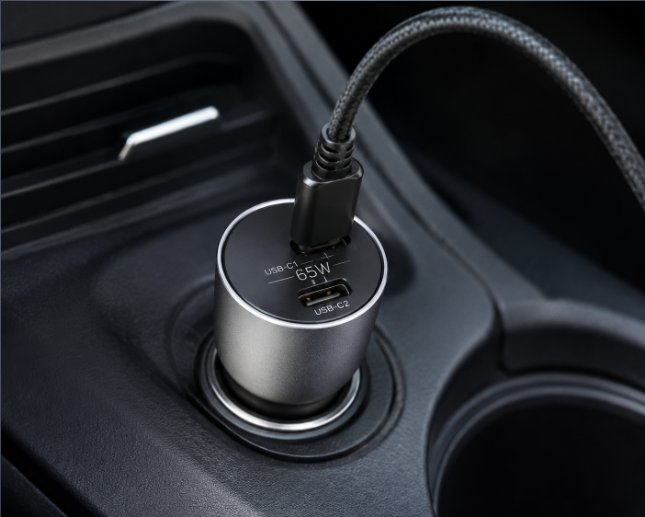
1. Basics of In-Car USB-C Charging
1.1 What Is In-Car USB-C Charging?
In-car USB-C charging delivers power from your vehicle’s DC electrical system to USB-C devices such as phones, tablets, and laptops. It is the primary way to recharge personal electronics during commutes, road trips, and long-distance travel.
Unlike home charging, which uses stable 120V/240V AC power, vehicle charging runs on 12V (or 24V for trucks) DC power with wider voltage fluctuations, greater temperature swings, and constant vibration from driving. Think of a car charger as a compact, rugged power translator: it takes the car’s rough 12V supply and turns it into clean, precise power that your devices can safely use.
1.2 Two Main Power Sources
There are two ways to get USB-C power inside your car:
- Factory pre-installed USB-C ports: Built into the dashboard, center console, or rear seats during manufacturing. Their power and features are fixed by the automaker.
- Aftermarket 12V socket USB-C chargers: Plug into the vehicle’s 12V accessory outlet (cigarette lighter socket). They offer far more power options and are the standard way to upgrade in-car charging.
1.3 Types of In-Car USB-C Ports
Not all USB-C ports serve the same purpose. They fall into three categories:
- Charge-only ports: Supply power only, with no data functionality. Most often found as rear-seat charging outlets.
- Charge + data ports: Support Apple CarPlay and Android Auto, but usually have limited charging power.
- High-power fast charging ports: Support USB Power Delivery (PD) protocol, typically found on newer premium and electric vehicles.
1.4 How It Works
The charging process follows a simple flow:
- The vehicle’s 12V/24V DC power feeds into the charger’s DC-DC conversion circuit.
- The circuit steps down and regulates the voltage to match what the connected device needs.
- A protocol chip communicates with the device to agree on a safe power level.
- Power is delivered through the USB-C cable to the device.
Inside every quality car charger are four core components: a power conversion module, a fast charging protocol chip, safety protection circuits, and the USB-C connector itself.
2. Key Specs & Fast Charging Fundamentals
2.1 Power: The Core of Charging Speed
Charging speed is determined by power, measured in watts (W). The basic formula is:
Power (W) = Voltage (V) × Current (A)
Higher wattage generally means faster charging, but only if your device can accept that power level. Here are common power tiers and their real-world use:
- 5–15W: Basic slow charging. Suitable for trickle-charging a phone on standby or powering wearables.
- 18–30W: Mainstream smartphone fast charging. Enough to top up most phones during a typical commute.
- 45–65W: Fast charging for tablets, handheld gaming consoles, and lightweight laptops.
- 100W+: High-power charging for performance laptops and multiple devices at once.
Critical note: For multi-port chargers, total wattage does not equal per-port wattage. When multiple devices are plugged in, power is split between ports. Always check the maximum single-port output.
2.2 Mainstream Fast Charging Protocols Explained
Fast charging doesn’t happen automatically. The charger and device must speak the same “language” — called a charging protocol — to negotiate higher power. If they don’t match, charging falls back to basic 5V slow charging.
Here are the protocols you’ll encounter in 2025:
- USB Power Delivery (USB PD): The universal open standard, supported by iPhones, modern Android phones, tablets, and laptops. It is the most important protocol for any car charger.
- Programmable Power Supply (PPS): An advanced subset of USB PD 3.0. PPS allows compatible devices to dynamically adjust charging voltage and current, improving efficiency and reducing heat during fast charging for Samsung Galaxy and Google Pixel devices.
- Qualcomm Quick Charge (QC): An older proprietary protocol from Qualcomm, found on pre-2020 Android devices. It is less relevant for modern phones but still useful for older hardware.
- Brand proprietary protocols: Custom standards from manufacturers like OnePlus or Xiaomi. These require brand-specific chargers and cables to reach full speed, and rarely work at full power in generic car chargers.
2.3 The Hidden Impact of Charging Cables
Even the best charger won’t reach full speed with a cheap cable. USB-C cables have different power ratings:
- 3A USB-C cables: Support up to 60W. Fine for smartphones and standard tablets.
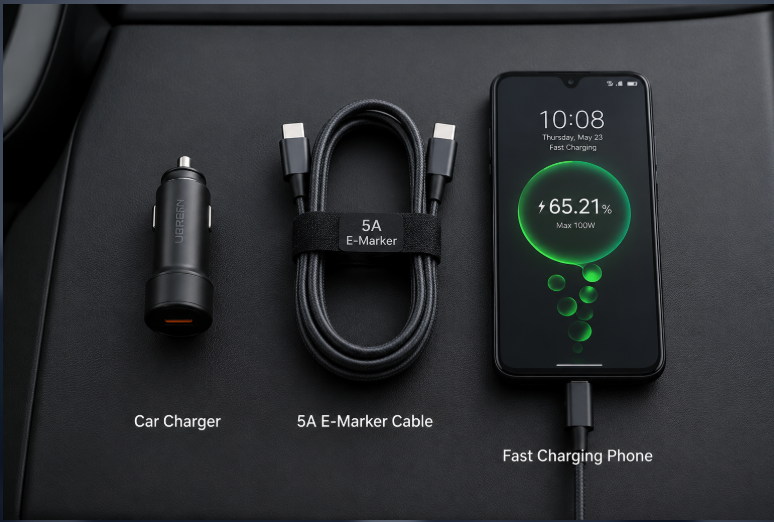
- 5A cables with E-Marker chip: Support 100W and higher. Required for laptop charging and high-power PD.
For in-car use, choose braided cables with reinforced connectors, 0.3–1 meter in length to reduce tangling.
Avoid this mistake: USB-A to USB-C cables generally cannot support modern high-power USB PD charging. They may still support older fast charging standards such as Qualcomm Quick Charge on compatible devices. Always use a USB-C to USB-C cable for full PD speeds.
2.4 Why Factory USB-C Ports Are Usually Slow
Most factory USB-C ports charge slowly for three reasons:
- Design priority: Automakers build these first for CarPlay/Android Auto data connectivity, not fast charging.
- Low power limits: Many factory ports deliver around 5–15W, although newer vehicles may support higher-power charging. For example, many factory USB-C ports in modern vehicles are limited to around 5–15W, depending on the vehicle model and market.
- Limited protocol support: Most only support basic 5V charging, not PD or PPS.
3. Factory USB-C Port Capabilities Explained
3.1 Gas vs. Electric Vehicle Differences
- Gas-powered vehicles: USB-C is still a relatively new addition. Most ports focus on data connectivity with low power output; high-power PD is usually limited to high-trim models.
- Electric vehicles (EVs): Typically include more USB-C ports with higher power output. Many EVs offer PD fast charging on both front and rear seats, thanks to their more robust electrical systems.
3.2 Regional Variations in Factory Ports
Factory USB-C specs vary widely by region, even for the same car model:
- European models: USB-C adoption is advanced, driven by upcoming EU regulations. Premium German brands often include higher-power PD ports. EU regulations are accelerating USB-C adoption in consumer electronics, while automotive charging standards vary by manufacturer.
- North American models: Transitioning from USB-A to USB-C. Base trims still often include USB-A, with USB-C on higher trims.
- Japanese models: Upgrade more slowly. Most USB-C ports offer basic charging and data functions, with lower power caps due to local safety guidelines.
3.3 How to Check Your Car’s Port Capabilities
- Check your owner’s manual: The most reliable source for power ratings and supported functions.
- Look for port markings: A battery or lightning icon indicates charging focus; a data symbol means CarPlay/Android Auto support.
- Test with a power meter: The most accurate method. Plug a USB-C power meter between the port and your device to read real output.
Practical rule: Many CarPlay and Android Auto ports prioritize data connectivity, so their charging power is often limited compared with dedicated fast-charging ports.
3.4 Aftermarket Upgrade Options
If your factory ports are too slow, you have three upgrade paths:
- OEM-style panel replacement: Swap your factory USB-A panel for a USB-C fast charging panel. Offers a clean, factory look.
- Fuse box hardwired install: Run hidden wiring from the fuse box to add a dedicated fast charging port. For a fully stealth installation.
- Rear seat expansion: Use a 12V extension cable to add a charging panel for rear passengers.
4. Buying Guide for 12V Socket USB-C Car Chargers
4.1 Choose Wattage by Use Case
Pick a charger that matches your daily devices, not just the biggest number:
- 20–30W single port: For daily commuters charging one phone and wireless earbuds.
- 45–65W dual port: For families or anyone charging a phone plus a tablet/handheld console.
- 65–100W multi-port: For road trippers and laptop users needing to charge a phone, tablet, and lightweight notebook.
4.2 Port Configuration Options
- Single USB-C: Compact and unobtrusive, ideal for single-device users.
- 1A1C (USB-A + USB-C): Works with both old and new devices.
- Dual USB-C or 2C1A: Best for multi-device households and long trips.
- Magnetic wireless charger: Combines a mount and wireless charging. Great for frequent navigation users, especially with EU distracted driving laws making wired handling riskier.
4.3 Technology & Build Quality
- GaN (Gallium Nitride) technology: GaN chargers are smaller, more efficient, and run cooler than traditional silicon chargers. In 2025, automotive-grade GaN is becoming mainstream, bringing better reliability under harsh cabin conditions.
- Thermal design: Metal-bodied chargers dissipate heat better than plastic ones, which matters for sustained high-power charging.
- Quality verification: Look for independent lab tests and long-term user reviews rather than just marketing claims.
4.4 Must-Check Safety Certifications
Certifications are non-negotiable for automotive electronics. Look for these marks:
- CE: Mandatory for the EU. Covers electrical safety (LVD) and electromagnetic compatibility (EMC).
- E-Mark certification: E-Mark certification is commonly required for many automotive electronic products in markets following UNECE regulations, helping ensure electromagnetic compatibility and vehicle safety requirements.
- FCC: Required for the US. Regulates radio frequency emissions.
- UL: A widely recognized safety standard (e.g., UL 2089 for vehicle battery adapters). Voluntary but a strong sign of quality.
Additional quality details to look for: gold-plated contacts for corrosion resistance, and a subtle LED indicator for nighttime use.
Red flags to avoid: No power specs printed on the product, no certification marks, and prices far below comparable models.
4.5 Common Buying Mistakes to Avoid
- Don’t just look at total wattage — confirm the maximum per-port output.
- Don’t just chase high wattage — confirm the charger supports protocols your devices actually use.
- Don’t buy more power than you need — match the charger to your daily devices.
- Don’t skimp on the cable — a cheap 3A cable will bottleneck a 65W+ charger.
- Don’t buy an oversized charger — it may block adjacent buttons or the second 12V socket.
5. Charging Compatibility by Device
5.1 Smartphones
- iPhone (15 series and newer): Requires USB PD. 20W or higher delivers full-speed charging.
- Android phones: Check which protocols your phone supports. Universal PD will give basic fast charging; PPS support unlocks full speed for Samsung and Google devices.
- Note: Charging speed is slower when using CarPlay or Android Auto mode compared to charge-only mode.
5.2 Tablets & Handheld Consoles
- Tablets: 30W+ PD is recommended for reliable charging during use.
- Handheld consoles: Nintendo Switch, Steam Deck, and similar devices support USB PD. 45W+ chargers deliver full-speed charging.
5.3 Laptops
- Hard requirements: At least 45W on a single port, 20V voltage support, and USB PD compatibility.
- Practical guidance: 65W works for emergency charging of lightweight laptops; 100W+ is recommended for performance laptops.
Critical pitfall: A charger with 65W total power but only 30W per port will NOT fast charge a laptop. Always verify single-port output.
5.4 Car Accessories & Small Devices
- Dash cams, air purifiers, etc.: Basic USB-C power is fine. Prioritize chargers with stable, consistent output.
- Smartwatches, earbuds, etc.: Require low-current charging mode. Some cheap chargers can’t detect small devices and will turn off automatically.
6. Proper Usage & Cable Routing
6.1 Installation & Safety Rules
- Plug the charger fully into the 12V socket to ensure a solid connection and prevent disconnection over bumps.
- Route cables along door seals and console edges. Never run cables across the steering wheel, pedals, or driver’s line of sight.
- Secure rear-seat cables to prevent tripping, stepping, or yanking.
- Never plug or unplug devices while driving — it distracts you from the road.
6.2 Power Behavior When Engine Is Off
Vehicles handle 12V socket power differently when the ignition is off:
- Some cut power immediately.
- Some keep power for 10–30 minutes then shut off.
- A few provide constant power at all times.
Certified car chargers have extremely low standby power (often under 0.1W). On vehicles with constant power, this won’t drain a healthy battery during short stops.
Best practice: If parking for more than 7 days, unplug the charger as a precaution.
6.3 Multi-Device Charging Tips
- When all ports are in use, power is shared — each device will charge slower.
- Plug the highest-power device (like a laptop) into the primary high-power port.
- Avoid connecting too many high-power devices at once, as this can blow the vehicle’s accessory fuse.
6.4 Maintenance Tips
- Clean dust from ports regularly with a dry, soft brush.
- Keep liquids away. If water gets inside, disconnect power and let it dry completely.
- Unplug and store the charger during long periods of non-use to avoid prolonged heat exposure from sun baking.
7. Safety Rules & Usage Taboos
7.1 Built-In Protection in Quality Chargers
A reputable car charger includes multiple layers of protection:
- Over-current protection: Cuts power if current exceeds safe limits.
- Over-voltage protection: Regulates voltage during vehicle electrical spikes.
- Over-temperature protection: Reduces power or shuts down if it gets too hot.
- Short-circuit protection: Immediately cuts power if a short occurs.
- Electromagnetic shielding: Reduces interference with car stereos, navigation, and TPMS systems.
7.2 Daily Safety Don’ts
- Never use uncertified, falsely labeled chargers.
- Never cover or wrap a charger while in use — it needs airflow to dissipate heat.
- Never plug or unplug chargers with wet hands.
- Avoid yanking cables or bending them sharply at the connector.
7.3 Extreme Temperature Guidelines
Car interiors can swing from well below freezing to over 60°C (140°F) in direct sun — both extremes hurt charging performance and battery health.
- Hot weather: After a car sits in summer sun, ventilate the cabin first before fast charging. Never leave a phone charging in direct sunlight on the dashboard.
- Cold weather: Lithium batteries have reduced performance in freezing temperatures. Let the cabin warm up before expecting full charging speed.
7.4 Emergency Troubleshooting for Abnormalities
- Mild warmth during charging is normal — energy conversion always produces some heat.
- If the charger becomes too hot to touch, smells burnt, makes noise, or changes shape, stop using it immediately.
- If a short circuit blows your car’s accessory fuse, replace it with a fuse of the exact same rating before testing again.
8. Common Myths Debunked
- Myth: All USB-C ports can fast charge.
Fact: Fast charging depends on power output and protocol support. Most factory data ports only deliver slow 5–15W charging. - Myth: A high-wattage charger will damage your phone battery.
Fact: The device controls how much power it draws. A compliant charger only delivers what the device asks for. - Myth: Factory USB-C ports charge about as fast as aftermarket ones.
Fact: Factory ports usually deliver 5–15W. Aftermarket fast chargers commonly deliver 25–65W — 2 to 10 times faster. - Myth: High-power chargers will burn out your car’s wiring.
Fact: Quality chargers have full protection circuits. As long as you don’t exceed the fuse rating, they are safe. - Myth: Leaving a charger plugged in when the engine is off will definitely drain your battery.
Fact: Certified chargers use negligible standby power, and most cars cut power to the socket when off. - Myth: Wireless car chargers charge faster than wired ones.
Fact: Wireless charging has lower efficiency and more heat. Its advantage is convenience, not speed. - Myth: A USB-A to USB-C adapter can turn an old port into a fast USB-C charger.
Fact: It can’t overcome the original port’s power and protocol limitations.
9. Step-by-Step Troubleshooting
9.1 No Charging At All
- Make sure the charger is fully inserted and the 12V socket has power.
- Test with a different cable and different device to isolate the problem.
- Check the vehicle’s 12V accessory fuse.
- Confirm the vehicle’s ignition is in the on/accessory position.
9.2 Unusually Slow Charging
- Verify that the charger, cable, and device all support the same fast charging protocol.
- Check if multiple devices are sharing power.
- Confirm you aren’t in CarPlay/Android Auto mode (which limits power).
- Extreme temperatures can trigger thermal throttling. Wait for the temperature to normalize.
9.3 Intermittent / Disconnecting Charging
- Check for loose connections — vibration can cause poor contact.
- Try a different cable; internal wire breakage is a common cause.
- Clean dust and oxidation from the port contacts.
9.4 Static / Humming Noise From Speakers While Charging
- Switch to a certified charger with proper electromagnetic shielding.
- Use a shielded charging cable.
- Move the charger further from the car’s audio wiring.
9.5 Touchscreen Glitches On Phone While Charging
- Usually caused by poor grounding or electromagnetic interference.
- Replace with a properly certified charger.
9.6 “This Accessory Is Not Supported” Message
- Caused by a cable without proper authentication chips or a failed protocol handshake.
- Replace with a certified USB-C cable.
- Clean dust from the charging port.
10. Global Regulations & Industry Trends
10.1 Regional Regulatory Requirements
- European Union: The Common Charger Directive mandates USB-C for portable electronics. EU regulations are accelerating USB-C adoption in consumer electronics, while automotive charging standards vary by manufacturer. Products require CE and E-Mark certification.
- United States: FCC certification is required for electromagnetic compatibility. Some states have additional safety requirements. UL certification is widely expected by consumers.
- Japan: Products must comply with the Radio Law and electrical safety technical standards.
Overall, factory USB-C fast charging is becoming standard on more new vehicles every year, driven by both regulation and consumer demand.
10.2 Technology Trends
- Automotive-grade GaN adoption: GaN technology is moving from consumer chargers into true automotive-grade components, offering better reliability, higher efficiency, and smaller sizes for high-power in-car charging.
- Smart power allocation: Multi-port chargers are gaining intelligent dynamic power distribution, automatically adjusting power per device based on need.
- Magnetic wireless integration: All-in-one mounts with magnetic wireless charging and cooling are growing in popularity, boosted by stricter distracted driving laws.
- EV-optimized charging: Electric vehicles’ stronger electrical systems will enable higher-power USB-C ports across more seats.
- Rear seat charging expansion: More base-model vehicles will include rear USB-C ports as standard equipment.
11. Frequently Asked Questions
- Why is my factory USB-C port so slow?
Most factory ports are designed for CarPlay/Android Auto data first, with only 5–15W of power and no fast charging protocol support. - How many watts should my USB-C car charger be?
20–30W for a single phone; 45–65W for a phone plus tablet/console; 65–100W if you charge a laptop. - Can a USB-C car charger charge a laptop?
Yes, if the single port delivers at least 45W, supports 20V, and is USB PD compatible. - Will a car charger drain my battery when the engine is off?
Almost certainly not for short stops. Certified chargers have tiny standby power, and most cars cut power to the 12V socket when off. - Does fast charging damage phone batteries?
No, when using certified chargers. The phone manages charging current, and modern batteries are designed for fast charging. - Why do I hear a hum in my speakers when charging?
It’s electromagnetic interference from an unshielded charger or cable. Switch to a certified, shielded product.
12. Final Action Checklist
12.1 Recommendations By User Type
- Daily commuter, single device: 20–30W single-port PD car charger + a quality braided USB-C cable.
- Family / multi-device user: 45–65W dual/multi-port charger with full PD + PPS support.
- Laptop user / long road trips: 65–100W high-power GaN car charger + a 5A E-Marker cable.
- Frequent navigation user: A magnetic wireless car charger with fast charging support for your phone model.
12.2 Core Safety Principles
- Buy branded products with proper regional certifications. Avoid no-name uncertified chargers.
- Route cables away from driving controls and your field of view. Never handle cables while driving.
- Avoid sustained high-power charging in extreme heat or cold.
- Unplug the charger for long-term parking.
12.3 Critical Pitfalls to Avoid
- Buying cheap uncertified chargers with no power ratings.
- Running cables across the steering wheel, pedals, or windshield.
- Plugging or unplugging devices while driving.
- Running high-power fast charging continuously in a sun-baked or freezing cabin.
- Pairing a 65W+ high-power charger with a basic 3A cable.