
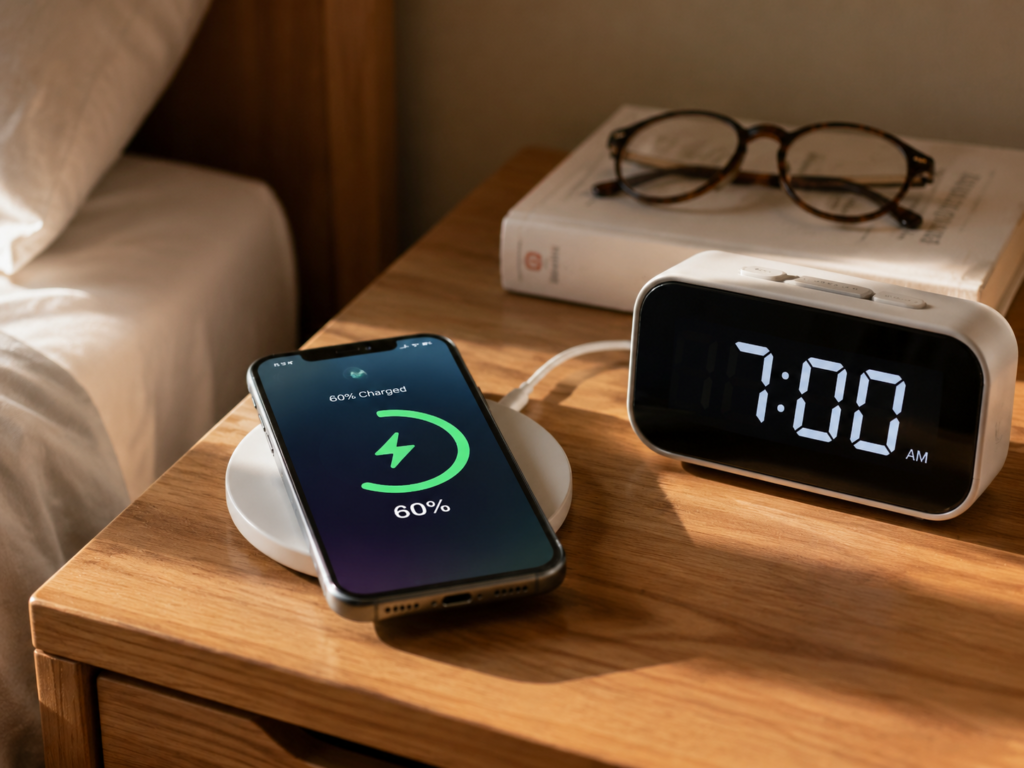
You put your phone on a wireless charging pad before bed, expecting to leave home with a full battery the next day, only to find it’s only charged to 60% when you wake up — many people’s first reaction to this situation is that the wireless charger is broken, or the phone’s battery is failing, but the vast majority of slow wireless charging issues are not hardware failures, but rather deviations in usage habits, accessory compatibility, or speed expectations.
This article addresses slow wireless charging issues with consumer electronics such as mobile phones, earbud cases, and smartwatches, focusing on mobile phone wireless charging which has the most complex scenarios. It does not cover circuit modification, laboratory power testing, industrial-grade wireless charging, or disassembly and repair, and can be used to troubleshoot common problems such as slow wireless charging, speed reduction due to overheating, normal charging only, intermittent charging, and slow in-car wireless charging.
First, Figure It Out: Is Your Wireless Charging Really Slow, or Just Normally On the Slower Side?
Don’t judge wireless charging by the standards of wired fast charging — wireless charging transmits power through the air, which inherently has energy conversion and heat loss. At the same nominal power, it is usually 20%-40% slower than wired charging, which is normal in the vast majority of scenarios.
Currently, common civilian wireless charging power levels are divided into: 5W basic model, 7.5W/10W common mid-range, 15W Qi/Qi2 mainstream fast charging, and some brand proprietary protocols can achieve higher power. It should be noted that the “maximum XXW” marked on products is all peak power, not maintained throughout the charging process. It can only reach the peak for a short time under ideal conditions: ambient temperature of 20-25°C, phone screen off and not overheating, battery level between 20%-50%, single device charging, and fully matching accessory protocols. The higher the battery level and temperature, the lower the average power.
Rough speed reference: a 5W basic wireless charger charges about 10%-25% of the battery per hour under ideal conditions; a 15W mainstream wireless fast charger charges about 15%-35% in 30 minutes under ideal conditions, and the specific speed depends on the phone’s battery capacity and the manufacturer’s charging strategy. In addition, when the battery level exceeds 80%, the system will enter a protective slow charging or trickle charging stage. The obvious slowdown in the last 20% is a normal battery protection mechanism, not a malfunction.
How to Judge If It’s Really Slow
To distinguish between normal slowness and a real fault, you need to test under unified conditions to avoid misjudgment:
Before testing, ensure the phone screen is off, high-power-consuming apps such as games/navigation/hotspots/downloads are closed, the ambient temperature is 20-30°C, the phone itself is not hot, the battery level is in the 20%-50% range, and only a single device is being charged. Charge continuously for 10-15 minutes and record the battery level increase; do not judge solely by the charging icon.
For a 15W wireless charger, there should be a noticeable increase in 10 minutes under good conditions; if there is almost no increase or the increase is less than 3% in 10 minutes, further troubleshooting is needed. You can also test the same phone with an original or reliable wired charger. If wired charging is also slow, it may be a problem with the phone’s own battery or system, unrelated to the wireless charger.
Reminder: The charging power displayed by third-party apps is mostly an estimated value, for reference only. The input power of the charging adapter, the output power of the wireless charging pad, and the actual power charged into the battery are three different concepts; do not take the app’s numbers as an absolute standard.
Common Misconceptions
Many misconceptions about wireless charging will make you think it has “slowed down”. Here is a unified clarification:
Misconception 1: Wireless charging should be as fast as wired charging of the same power. Truth: Air-transmitted power has conversion and heat loss. Being 20%-40% slower at the same nominal power is normal, a physical characteristic rather than a quality issue.
Misconception 2: The marked wattage will run at that level throughout the charging process. Truth: Peak power only appears for a short time when the battery is low, the temperature is low, and the protocol is fully matched. It will gradually slow down as the battery level and temperature rise.
Misconception 3: With Qi certification, the phone’s maximum wireless power can be fully achieved. Truth: Qi is a universal standard that only guarantees basic compatibility. It does not support brand proprietary fast charging protocols, and usually only runs at the basic level.
Misconception 4: Third-party wireless chargers cannot reach full speed. Truth: Third-party accessories certified by Qi2, Made for MagSafe, or the corresponding brand’s official certification can achieve higher power on supported models.
Misconception 5: The more expensive the wireless charger, the faster the speed. Truth: Speed is determined by the power supported by the phone, protocol compatibility, power supply capacity, heat dissipation, and alignment. A high price does not mean fast speed.
Plain-Language Principle: Why Wireless Charging Is Inherently Prone to Slowing Down
After understanding the basic judgment, let’s briefly talk about the working logic of wireless charging. Understanding the principle will help you understand the reasons for slow charging faster.
The wireless charging pad and the back of the phone each have an induction coil: after the charging pad is connected to power, the coil generates an alternating magnetic field. When the phone’s coil is close, it induces an electric current, which is adjusted by the charging management chip and then charged into the battery. Barriers such as air, phone cases, and magnetic rings between the two coils will cause part of the energy to be lost and converted into heat.
A drop in charging speed is usually stuck in four links:
First, poor alignment: the two coils are not fully aligned, so the received energy is reduced, and the unreceived energy is also converted into extra heat.
Second, long distance: an overly thick phone case or unreasonable design of the charging pad stand will increase the coil spacing and reduce energy transfer efficiency.
Third, high temperature: after the phone or charging pad heats up, the system will actively reduce power to protect the battery and components, which is a safety mechanism.
Fourth, protocol mismatch: the phone and wireless charger have not negotiated a fast charging level, so they can only fall back to the basic level for charging.
Here are four commonly used key terms, explained in plain language first, then the technical term, which will be frequently used in later troubleshooting:
- Charging power (W): can be understood as charging speed. The larger the value, the faster it is in theory, but in practice it is limited by temperature and protocol, and cannot run at peak all the time.
- Fast charging protocol: the “handshake rule” between the phone and the charger. Both sides must support the same protocol to enter the high-power level, otherwise only the basic level can be used.
- Temperature-controlled speed reduction: a protection mechanism where the system actively reduces speed when the temperature is too high, not a malfunction.
- Qi/Qi2: universal wireless charging standards. Qi is the basic version, with wide compatibility but no guarantee of fast charging; Qi2 adds a magnetic alignment function, with more accurate alignment and a more stable experience, which requires the phone, system, and accessories to all support it to work.
1-Minute Troubleshooting: Slow Charging Caused by Usage Habits and Environment
Misaligned Coils
Coil misalignment is the most common cause of slow charging, and also the easiest to overlook. Coil offset will reduce charging efficiency, and in severe cases, lead to slow charging, intermittent charging, and obvious overheating. The coil position of large-screen phones and foldable phones is different from that of ordinary models, making them easier to place crookedly; phone movement caused by notification vibrations may also cause originally aligned coils to become misaligned.
Quick judgment method: place the phone on the charging pad, move it slowly in a small range, release it when the charging prompt is stable, and observe the battery increase over 10-15 minutes. If the speed increases significantly after moving, it means it was not aligned before.
Tip: Magnetic wireless chargers are usually easier to align than ordinary flat models, but only if the phone supports magnetism, or the magnetic ring of the phone case is accurately positioned. Otherwise, it will instead block the coils and affect efficiency.
Phone Cases and Back Accessories
Thin plastic cases and silicone cases have minimal impact on wireless charging; thick shockproof cases and phone cases with stands will increase the coil spacing, making it easier to reduce efficiency.
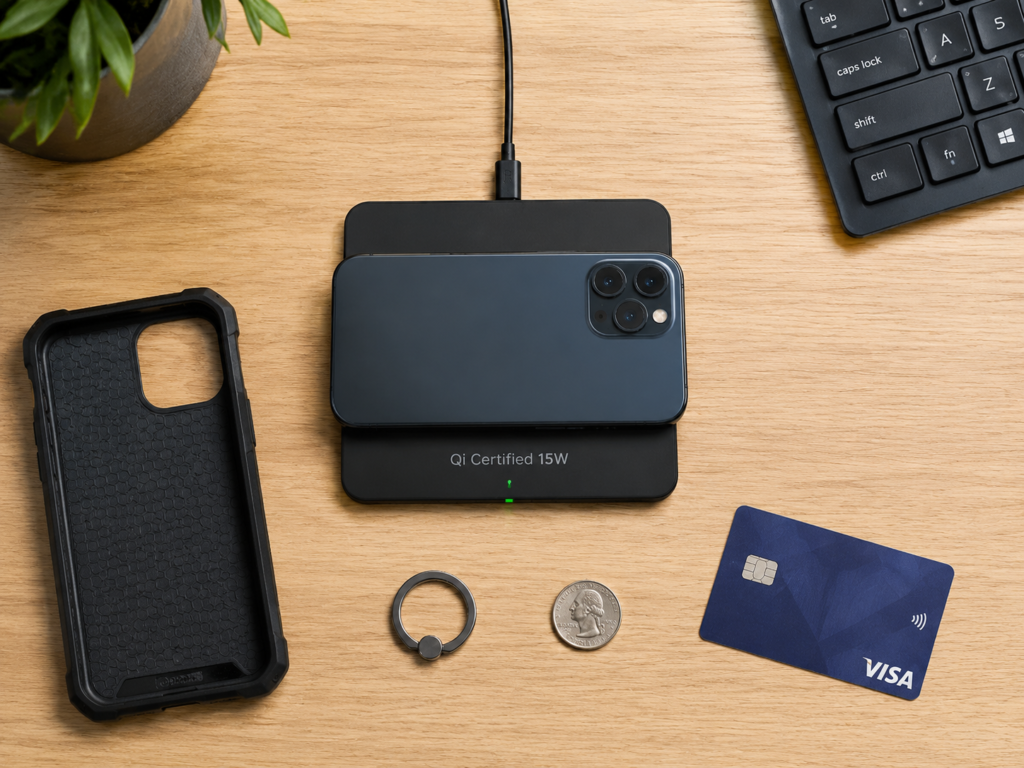
Be especially wary of metal accessories: metal phone cases, metal ring holders, back card holders, transit cards/bank cards placed inside the case, uncertified magnetic rings, and magnetic patches will all interfere with the magnetic field, not only reducing speed, but also possibly causing disconnection or local overheating.
The most direct troubleshooting method: remove the phone case and all back accessories, charge the bare phone for 10-15 minutes and compare the speed. If it is significantly faster, the problem is with the case or accessories.
Screen On and High Background Load
When playing games, navigating, turning on a hotspot, downloading, or making video calls while wireless charging, the power input from the wireless charger will be heavily consumed by high-power components such as the screen and processor, resulting in less net battery growth. It looks like charging is slowing down, and in severe cases, the battery level may even drop instead of rising.
Typical performance: slow battery gain or even battery drain when charging while using; speed returns to normal after the screen is off and high-power apps are closed. For troubleshooting, just turn off the screen, close high-load tasks, and test again after the phone cools down.
Too High or Too Low Temperature
The optimal operating temperature for wireless charging is 20-25°C, and most devices can work normally within the range of 10-35°C. When the range is exceeded, the system will activate a protection mechanism, reducing power or even pausing charging.
High temperature is the most common cause of speed reduction: in a car in summer, direct sunlight, charging on a quilt/sofa/pillow (poor heat dissipation leads to heat accumulation), thick case wrapping, and charging while using will all increase the temperature of the phone or charging pad, leading to obvious speed reduction. Low temperature situations are relatively rare. If the ambient temperature is close to 0°C or below 0°C, battery activity drops significantly, and charging speed will slow down or even pause.
The correct way to deal with slow charging caused by temperature is: first remove the phone from the charging pad, place it in a ventilated place to cool down naturally, and after the temperature returns to normal, place it on a hard, ventilated desktop to charge.
Foreign Objects Sandwiched In Between
Foreign objects such as coins, keys, metal shavings, bank cards, and magnetic patches sandwiched between the phone and the charging pad will interfere with the magnetic field, leading to speed reduction, charging disconnection, or even local overheating. Metal foreign objects will be inductively heated in the alternating magnetic field, and the temperature may rise rapidly. In severe cases, they may damage the phone case, cards, or even the charging pad, posing a safety risk.
If charging suddenly slows down or there is local overheating, first check whether there are foreign objects on the back of the phone and the surface of the charging pad, clean them up, then realign and test.
Verify by Replacement: Slow Charging Caused by Wireless Charging Accessories
After eliminating usage and environmental factors, you can troubleshoot accessory problems through the replacement method.
The Wireless Charging Pad Itself
When buying a wireless charger, you can’t just look at the “maximum XXW” in the advertisement. You need to check the output power, supported protocols, and compatible models on the product nameplate or manual — the maximum power in the advertisement is often for specific models, and your phone may not support it.
The universal Qi/Qi2 standards have good compatibility and can be used by almost all phones that support wireless charging, but the maximum power depends on the phone’s support, system version, and charger certification. Apple iPhones usually have lower power with ordinary Qi wireless chargers; using MagSafe, Made for MagSafe certified accessories, or some Qi2 certified accessories can achieve higher power on supported models. Most Android brands have proprietary wireless fast charging protocols, and unofficial or uncertified third-party wireless chargers usually drop to the universal Qi basic level, with slower speed.
When a multi-device wireless charger charges multiple devices at the same time, the total power will be distributed, and the speed of a single device will decrease. If the phone position is allocated low power, it will feel significantly slower.
Also pay attention to heat dissipation: some wireless chargers have high nominal power, but no cooling fan, no ventilation at the bottom, and materials that easily accumulate heat. After a few minutes of charging, the temperature rise will trigger temperature-controlled speed reduction, and the actual average power may be lower than that of low-nominal-power products with good heat dissipation.
Insufficient Power Supply from the Charging Adapter
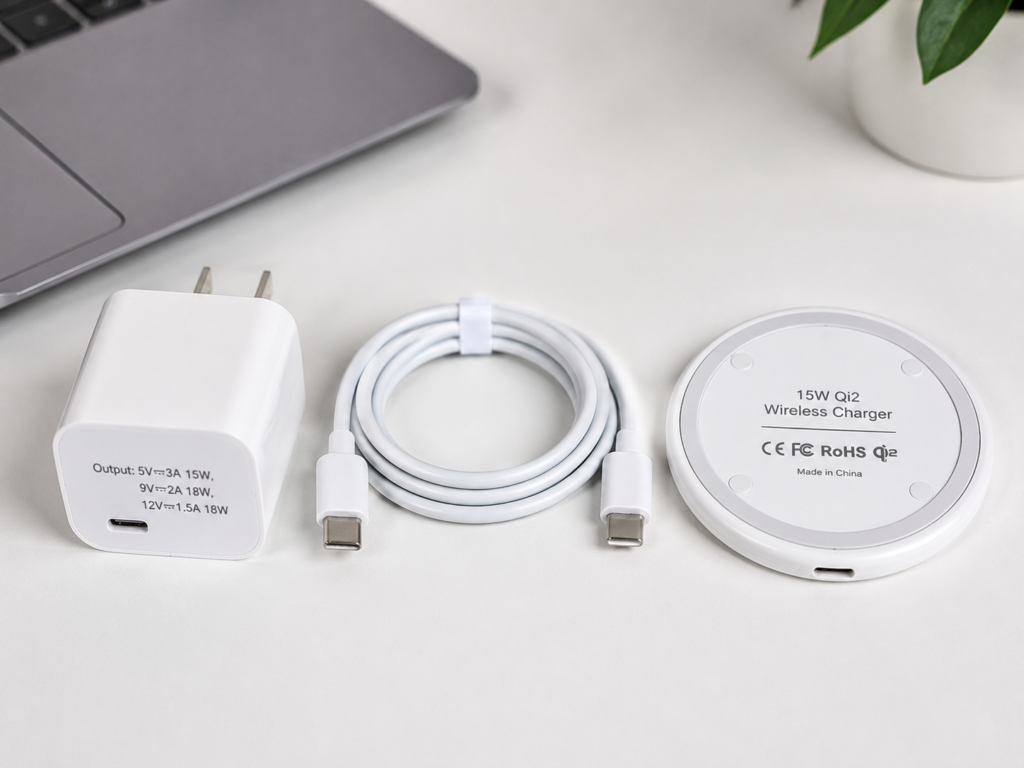
The wireless charging pad needs a charging adapter to supply power. If the charging adapter’s power supply capacity is insufficient, the wireless charger cannot reach its full nominal power. The output power of the charging adapter needs to be greater than the input power required by the wireless charger. For example, a 15W wireless charger usually requires a charging adapter of 18W or 20W or higher with a matching protocol to be fully powered.
Method to check the charging adapter’s power: look at the “output” column on the charging adapter’s nameplate. Voltage × current = power. For example, the output power of 9V/2A is 18W. In addition to sufficient power, the protocol must also match: some wireless chargers require PD, QC protocols, or brand-specified charging adapters to enable fast charging. If the protocol does not match, even if the power is sufficient, it will drop to a low level.
Pitfall reminder: when using multiple ports at the same time on computer USB ports, monitor USB ports, car USB ports, or multi-port chargers, the power supply capacity is often insufficient, which easily leads to the wireless charger not reaching full speed.
Charging Cable Issues
Poor-quality cables, aged cables, overly thin wire cores, loose interfaces, uncertified cables longer than 2 meters, and cables that are bent for a long time in the car will all cause voltage drop or unstable power supply. The wireless charger cannot get enough power, so naturally it cannot be fast.
Troubleshooting method: replace with an intact original, brand-certified, or corresponding power-supported cable and test again. If the speed increases, it means the previous cable was problematic.
Wireless Charger Aging or Damage
Long-term high temperature, drops, water ingress, loose internal coils, and component aging of the wireless charger will all lead to reduced efficiency and slower speed. Typical manifestations are: previously normal charging is now significantly slower, repeated disconnection even when placed in the same position, abnormal local overheating, and abnormal flashing of the indicator light.
Cross-verification method: use this wireless charger to charge another confirmed normal phone. If it is still very slow, it is most likely a problem with the wireless charger itself or the power supply chain.
Danger signals: if there is abnormal noise, burning smell, shell deformation, local hotness to the touch, or smoke, stop using it immediately to avoid danger.
After Eliminating Usage and Accessory Issues, Check Phone-Side Problems
Battery Optimization Settings
Smartphones are generally equipped with battery optimization functions, such as optimized battery charging, night adaptive charging, battery protection mode, charging limit, wireless charging power saving mode, etc. These functions extend battery life by adjusting charging strategies.
Typical performance: charging pauses or slows down significantly when it reaches about 80%, stays at a certain battery level for a long time during night charging, and then fully charges near wake-up time. If it only slows down after 80%, it is most likely the effect of such functions. You can temporarily turn off the relevant settings and retest in the 20%-50% battery range. If the speed is normal, it means it is a setting issue, and you can turn it back on after testing to protect the battery.
System and Background Abnormalities
Just updating the system, just restoring a backup, just installing a large number of apps, background photo indexing/cloud syncing, or abnormal power consumption of a certain app will all cause the phone to heat up and increase background power consumption, making it look like charging is slowing down.
Typical performance: the phone heats up for no reason, a certain app has abnormal power consumption in the power consumption statistics, and the battery still drains or gains slowly when the screen is off. Troubleshooting method: first restart the phone and check whether there are stable updates for the system and apps; if you have just completed a major version update or restored a backup, wait a few hours to 24 hours first, and then judge whether it is still slow after background indexing, syncing and other tasks are completed.
Declining Battery Health
After long-term use, the battery will experience capacity decay, not only worsening battery life, but also causing more severe overheating. The system may limit peak charging power or adjust charging strategies to protect the battery, leading to slower charging.
Generally speaking, when battery health is below 80%, it is recommended to pay attention or consider replacement. Different brands have different judgment standards, so the official statement shall prevail. Viewing method: for iPhone, you can check in 「Settings – Battery – Battery Health & Charging」; for most Android phones, you can check in 「Settings – Battery」 or the brand’s official service app.
Note: Battery aging is not the only cause of slow wireless charging. Before replacing the battery, you must first eliminate problems such as accessories, temperature, and protocol to avoid ineffective replacement.
Abnormal Wireless Charging Module or Hardware
Phone drops, water ingress, long-term high-temperature use, coil position offset after repair, and damaged wireless charging chips may all cause slow or disconnected wireless charging, but such situations are relatively rare.
Prerequisite for judgment: you have tested with a bare phone, official or certified wireless charger, suitable charging adapter and cable, in a good low-temperature and ventilated environment, and it is still obviously slow or frequently disconnected, and wired charging is normal. If this is the case, it is recommended to contact official after-sales service for testing. Do not disassemble the phone to adjust the coil or replace the module by yourself, to avoid causing greater damage.
5-Step Quick Troubleshooting Method: Locate Most Problems from Easy to Difficult
General principle of troubleshooting: first troubleshoot for free, then consider replacing parts; change only one variable at a time to avoid confusing influencing factors. In order, first eliminate usage and environmental problems, then check accessories, and finally consider phone-side faults.
Specific 5-step troubleshooting sequence:
- Calibrate test conditions: Unify the test environment — phone screen off, battery level 20%-50%, ambient temperature 20-30°C, phone itself not hot, only charging a single device, to eliminate basic interference factors.
- Check placement and environment: Remove the phone case and all back accessories, clean foreign objects on the back of the phone and the charging pad, realign the coils, place on a hard, ventilated desktop to charge for 10-15 minutes and observe the speed. This step covers several of the most common causes: coil misalignment, case obstruction, foreign object interference, and poor heat dissipation.
- Replace the power supply chain: If the second step is ineffective, first replace the charging cable with a confirmed intact one, then replace the charging adapter with one that meets both power and protocol requirements, to confirm there is no problem with the power supply chain. Many slow charging problems are caused solely by insufficient charging adapter power or damaged cables.
- Cross-verify the wireless charger: If the power supply is fine, replace with a confirmed normal wireless charger for testing, or use the current wireless charger to charge another normal phone, to determine whether the problem is with the wireless charger or the phone.
- Check phone status: If the previous steps are all ruled out, check whether the phone’s charging optimization settings are turned on, restart the phone, check whether there are abnormally power-consuming apps in the background, and query battery health; if there is still no improvement, you can consider contacting official after-sales service for testing.
Quick Reference Table for Common Symptoms
| Common Symptom | Priority Troubleshooting Direction |
|---|---|
| Battery gain less than 3% after 10 minutes of charging | Misaligned coils, overly thick/metal-containing phone case, insufficient charging adapter power, protocol mismatch |
| Normal before 80%, then significantly slower | Trickle charging, optimized charging, or battery protection strategy (normal phenomenon) |
| Slows down as soon as it heats up | Temperature protection; check ambient temperature, phone load, phone case, charging pad heat dissipation |
| Shows charging but only at normal speed | Fast charging protocol not activated; check wireless charger certification, charging adapter protocol, and model support |
| In-car wireless charging is very slow | High power consumption from navigation, direct sunlight, poor charging pad heat dissipation, insufficient car USB power supply |
| Repeated disconnection and local overheating | Metal foreign objects, severe coil misalignment, wireless charger fault; troubleshoot immediately |
| Still slow after replacing all accessories | System abnormality, battery aging, hardware problem with wireless charging module |
Semi-Proficient Judgment: Change Habits, Replace Accessories, or Seek After-Sales Service
How to Distinguish Normal Slowness from Fault Abnormalities
Typical characteristics of normal slowness: slower than wired charging of the same power, slows down at high temperatures, slows down when charging while using, slows down after 80%, and speed recovers after cooling or screen off. Such situations do not require repair, just adjust usage habits.
Characteristics requiring further troubleshooting: almost no battery gain when the screen is off at low battery level, the same set of accessories used to be fast but is now significantly slower, frequent disconnection, abnormal overheating of the phone or charging pad.
Characteristics of obvious abnormality requiring immediate discontinuation: too hot to touch, burning smell, battery bulging, shell deformation, smoke, abnormalities after water ingress. In such cases, contact after-sales service directly.
Speed-Up Tips That Don’t Require Replacing Parts
When you want fast charging speed, try to charge a single device, align the phone with the center of the coil, remove thick cases and metal accessories, turn off the screen and place it on a hard, ventilated desktop, which can make the wireless charger run at higher power as much as possible.
When using a magnetic wireless charger, try to use a certified magnetic case or the bare phone, to avoid off-brand cases with inaccurate magnetic ring positions causing coil misalignment, overheating, and speed reduction.
For night charging, you can turn on the optimized charging function; a slower speed is actually more beneficial to battery life.
Avoid the following scenarios: do not place the wireless charger on a quilt, sofa, or pillow for charging (easy to accumulate heat and reduce speed); do not play large games or navigate for a long time while wireless charging (both slow charging and damage the battery).
Methods to Choose Accessories Without Wasting Money
Step 1: First check the official phone parameters to confirm the maximum supported wireless charging power, and whether it supports Qi, Qi2, or a brand proprietary protocol — if the phone itself does not support it, no matter how expensive the wireless charger is, it’s useless.
Step 2: Check whether the wireless charger clearly marks the power corresponding to your model, rather than just writing “maximum XXW”. The maximum power marked on some wireless chargers is only for specific brand models, and your phone may only run at a lower level.
Step 3: Check the charging adapter specifications required by the wireless charger, such as whether it requires PD 20W, QC 3.0, or a brand original adapter, to confirm that the charging adapter you have can meet the requirements, avoiding the need to buy another charging adapter after buying the wireless charger.
Step 4: Prioritize products that are official, Qi/Qi2 certified, Made for MagSafe, or clearly certified by the brand, for more guaranteed compatibility and speed. Do not buy off-brand products with falsely marked parameters.
Step 5: If buying a multi-device wireless charger, you need to check the total power and the individual power of each charging position, to avoid the situation where the total power is very high but the power allocated to the phone position is very low, so it still can’t charge fast.
When to Seek After-Sales Service
First eliminate all usage, environmental, and accessory problems: test with a bare phone, certified wireless charger and suitable charging adapter, in a low-temperature and ventilated environment, with screen off and low battery. If it is still obviously abnormal, you can contact after-sales service.
Scenarios suitable for seeking after-sales service: suspected damage to the wireless charging module, obvious decline in battery health with poor battery life, abnormal wireless charging after drops or water ingress.
In cases of burning smell, battery bulging, shell deformation, smoke, abnormal hotness to the touch, repeated disconnection accompanied by overheating, etc., do not continue trying, stop using immediately to avoid danger.
Frequently Asked Questions
Why is wireless charging fast at first, then gets slower and slower?
This is a normal phenomenon, mainly due to the dual protection strategy of temperature rise and battery level increase. Wireless charging generates more obvious heat than wired charging. After charging for a period of time, the temperature rises, and the system will actively reduce power to protect the battery; at the same time, as the battery level increases, the battery charging speed itself will gradually slow down, and the closer it is to full charge, the slower it gets.
Why does wireless charging show it’s charging, but the battery level doesn’t increase?
There are four most common reasons: too high consumption when charging while using, so the charged power is heavily consumed; misaligned coils, resulting in very low actual charging power; insufficient power supply from the charging adapter or cable; too high temperature triggering speed reduction. You can first turn off the screen, remove the phone case, realign the coils, and test again after the phone cools down.
Why does the same wireless charger charge different phones at different speeds?
Different phones support different wireless charging powers and protocols. For example, the same 15W wireless charger can run at 15W for a phone that supports 15W Qi fast charging, but only at 5W for a phone that only supports 5W basic Qi, so there is naturally a difference in speed.
What is the difference between Qi, Qi2, and MagSafe?
Qi is a basic universal wireless charging standard with wide compatibility, usable by almost all devices that support wireless charging, but it only guarantees basic compatibility and does not support brand proprietary fast charging power.
Qi2 is a new version of the universal wireless charging standard, adding a magnetic alignment function, with more accurate alignment and a more stable experience. It requires both the phone and accessories to support Qi2 to work.
MagSafe is Apple’s magnetic wireless charging system; Made for MagSafe is Apple’s official accessory certification mark. Certified accessories usually get more stable or higher wireless charging power on supported models, mainly applicable to Apple ecosystem devices.
Summary
First of all, it should be clear that wireless charging is inherently more susceptible to temperature, alignment, and protocol matching. It is normal for it to be slower than wired charging at the same power, and the reasons have been explained above.
If you think it’s abnormally slow, verify according to the 5-step troubleshooting method from easy to difficult: first calibrate the test conditions, then check placement and environment, then replace the power supply chain, cross-verify the wireless charger, and finally check the phone status. Most problems can be solved in the first few steps, so there’s no need to rush to replace accessories or repair the phone.
Final reminder: if there is abnormal overheating, burning smell, battery bulging, deformation, repeated disconnection, etc., do not continue trying to increase speed. Stop using immediately and find a professional to test. Safety always comes first.