
You know how you plug your phone into a USB charger at home, and if it stops working for a second, you just wiggle the cable and move on with your life? No big deal.
Now imagine a factory making thousands of bottles of water per hour. Somewhere on that production line, a sensor is running on USB power. If that power drops for even a second, the sensor stops working. The line might shut down. Hundreds of bottles get wasted. Money gets lost.
That’s the difference between charging your phone and powering industrial equipment over USB.
This isn’t about charging batteries. This is about keeping factory machines running—24 hours a day, 7 days a week—using the same little USB cable you use for your phone.
So what makes it so different? Let’s break it down.
1. What Is This About?
Industrial USB power means using a USB cable to provide electricity to machines and devices in factories, automation systems, and testing labs.
One cable does two jobs: it sends data AND delivers power at the same time.
But it’s nothing like charging your phone.
- Phone charging: If it fails, you plug it back in. No big deal.
- Industrial USB power: Must work non-stop. If it fails, production lines stop. That costs real money.
Why should you care? Because every time you buy a product—a car, a phone, even a bottle of water—USB power was probably keeping the machines running behind the scenes. Those sensors and cameras that checked your product’s quality before it reached you? USB power kept them alive.
Industrial USB equipment typically lasts 5 to 8 years with basic care. Keep connections clean, screws tight, and check cables for wear if they’re in moving setups.
2. How Is It Different from Charging Your Phone?
| Phone Charging | Industrial USB Power | |
|---|---|---|
| Where it’s used | Home, office, coffee shop | Factories—dusty, noisy, full of electrical interference |
| Reliability | Failures are annoying but not critical | Must run 24/7. Failure stops production lines |
| Cable length | 1 to 3 meters (3 to 10 feet) | Often 5 to 10 meters or longer |
| Number of devices | One at a time | One port may power multiple devices—cameras, sensors, scanners |
| Protection needed | Basic over-current protection | Must handle voltage spikes, electrical noise, and reverse connections |
| Environment | Room temperature, clean | Heat, cold, dust, vibration, motor interference |
Simply put: one is for convenience. The other is for survival—of the production line.
3. Where Is It Used?
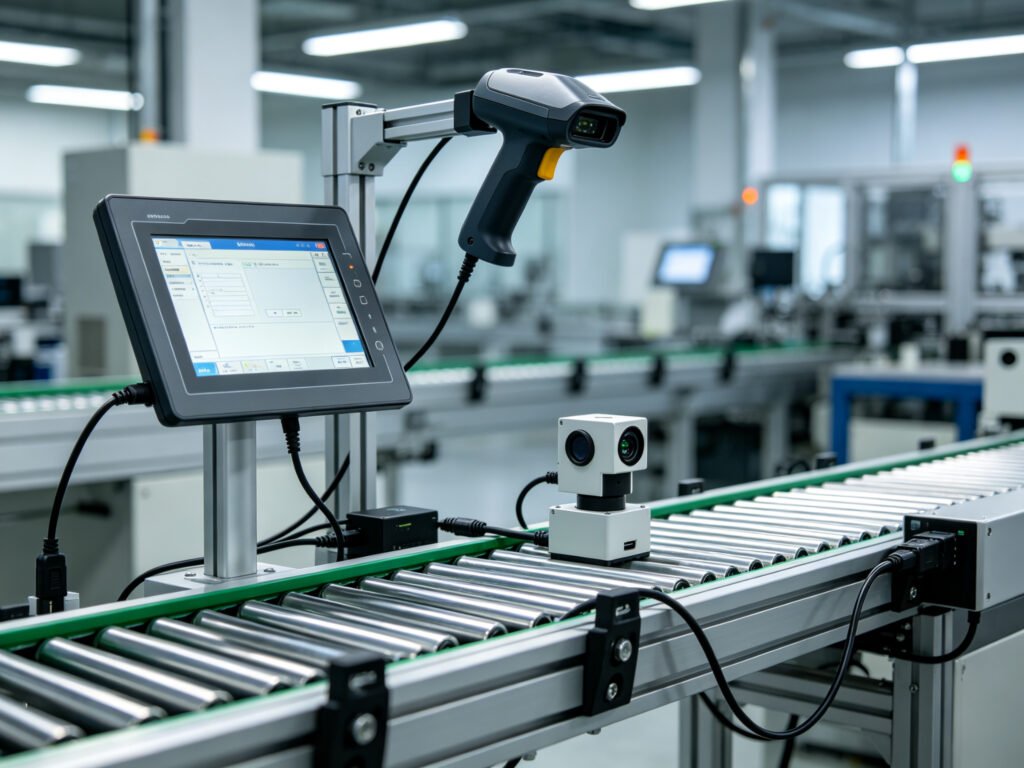
Industrial USB power shows up in more places than you might think:
- Factory control systems – the brains running production lines
- Sensors – measuring temperature, pressure, or detecting if a part is in the right place
- Barcode and QR code scanners – on conveyor belts tracking packages
- Industrial cameras – checking products for scratches, dents, or missing pieces
- Touchscreen control panels – workers use these to operate machines
- Programming and updates – uploading new software to factory equipment
- Small industrial computers – like Raspberry Pi-style boards used in manufacturing
4. How Does USB Power Work?
Inside every USB cable, there’s a power wire (5 volts) and a ground wire. That’s how electricity gets from point A to point B.
Different USB versions provide different amounts of power:
- USB 2.0: Enough for small sensors and simple devices
- USB 3.0: More power—good for cameras and larger equipment
- USB Power Delivery (PD): Lots of power—enough for touchscreens and small computers
There are two ways devices get their power:
- Bus-powered: The device takes all its power from the USB cable. Simple setup, but limited.
- Self-powered: The device has its own power adapter. USB only carries data—more stable for high-power equipment.
One important thing to know: The longer and thinner the cable, the more voltage gets lost along the way. Your device might not get the full 5V it needs. This is the most common problem in industrial USB power.
5. Cables and Connections
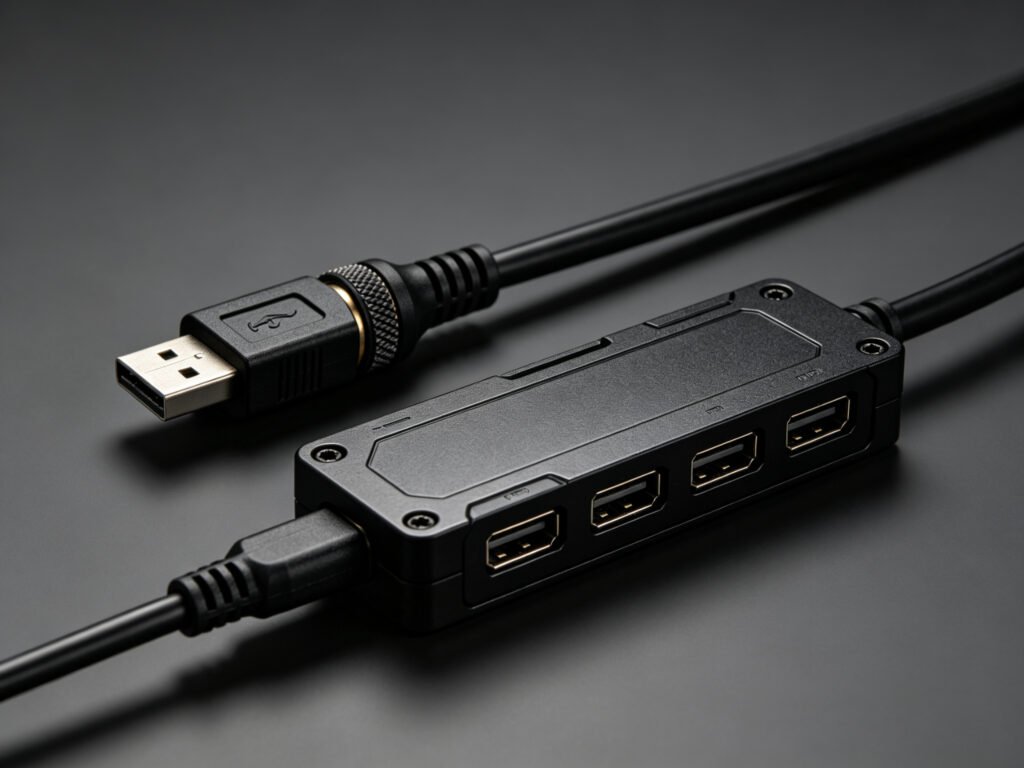
Not all USB cables are the same. Here’s what matters:
Cable types
- Regular USB cable: Works when nothing moves
- Heavy-duty flexible cable: For setups where the cable bends repeatedly
- Screw-lock industrial cable: Stays tight even with vibration
Cable length
- Under 3 meters (10 feet): Standard cable works fine
- 3 to 10 meters: Use thicker cables to prevent voltage drop
- Over 10 meters: May need powered extension cables or signal boosters
Shielding
Industrial cables must have shielding to block electrical interference from motors. Without it, data gets corrupted and devices disconnect.
USB hubs (splitters)
Use industrial-grade hubs with individual port protection. Consumer hubs fail quickly in factory environments.
6. Setup Tips
A few simple rules make a big difference:
- Mount equipment securely and keep cables tidy
- Run USB cables away from thick power cables to avoid interference
- Use a powered USB hub when connecting multiple devices
- Keep cables as short as possible—shorter means more reliable
- For critical equipment, use self-powered devices (not bus-powered)
- Add USB isolators for important gear—they protect against electrical issues
- In dusty or wet environments, use equipment with IP65 or higher protection
7. Common Problems and Simple Fixes
Device keeps restarting or disconnecting
- Often caused by voltage drop on long cables—use shorter or thicker cable
- Try a powered USB hub
- Check total power draw isn’t over the port’s limit
Device does nothing at all
- Check cable connections and try a different USB port
- If the device needs its own power supply, make sure it’s plugged in
Multiple devices don’t work together
- Total power draw might exceed the port’s limit
- Use a powered USB hub, or give high-power devices their own supply
Random disconnections
- Electrical interference from nearby motors—move cables away
- Check shielding and grounding
- Add ferrite chokes (magnetic clamps) to cables
8. Common Misunderstandings
“All USB cables are the same.”
They’re not. Cable thickness, shielding, and build quality vary widely. Cheap cables fail quickly in industrial settings.
“5V is always 5V.”
Not true. Over long, thin cables, your device might only get 4V or less. This is the #1 problem in industrial USB power.
“One USB port can power many devices.”
Each port has a limit. Multiple devices need a powered hub, and you must calculate total power draw.
“USB doesn’t need isolation.”
In factories, it does. Without isolation, electrical interference and ground loops can damage equipment.
“Consumer USB hubs work in factories.”
They don’t last. No isolation, no individual port protection, narrow temperature range. For 24/7 operation, you need industrial-grade hubs.
Industrial USB power isn’t complicated, but it’s not the same as plugging in your phone. It’s about keeping production lines moving, products flowing, and factories running. Understand the basics, choose the right cables and equipment, and it’ll serve you well for years.