
Quick Summary
Calculating battery charge time follows one simple core rule: time = charge needed ÷ effective charge rate. For a quick everyday estimate, divide battery capacity by charging current and multiply by 1.2 for typical lithium-ion consumer devices. This guide breaks down 3 easy calculation methods from beginner to accurate, explains why your real charge time always feels slower, and includes step-by-step examples for phones, car batteries, and power banks.
If you’ve ever plugged in your phone before leaving the house and wondered “will this be full in 30 minutes?”, or stared at a dead car battery and asked “how long do I need to leave the charger on?”, you’re in the right place.
You don’t need an engineering degree to estimate charge time. With a few simple numbers from your battery and charger, and a tiny bit of basic math, you can get a reliable estimate for almost any device. This guide is built for total beginners — no fancy jargon, just clear explanations and real examples you can follow along with.
First: The Core Concepts
Before we do any math, let’s cover the 4 basic terms you’ll see on every battery and charger. We’ll use a simple water bucket analogy to make everything stick:
Think of a battery like a water bucket. Battery capacity is how much water the bucket can hold. Charging speed is how fast your faucet pours water in. Some water splashes out (that’s lost energy as heat), so not every drop makes it into the bucket. The faucet flow can also slow down near the end, just like real batteries reduce charging speed when they get close to full.
1. Battery Capacity
This is how much total charge your battery can store. You’ll see this number printed on every battery, power bank, or device spec sheet.
- Common units: milliamp-hours (mAh) for small batteries (phones, power banks), amp-hours (Ah) for larger ones (car batteries, solar systems)
- Simple conversion: 1 Ah = 1000 mAh. So a 5000 mAh phone battery is the same as 5 Ah.
- Important note: mAh measures electrical charge, not total energy. Two batteries with the same mAh rating can store different amounts of energy if their voltages are different. To compare batteries fairly across different voltages, you use watt-hours (Wh) — we’ll cover that later in the guide.
2. Charging Current & Charging Power
This is how fast electricity flows into the battery — the speed of your faucet.
- Charging current is measured in milliamps (mA) or amps (A). Charging current ratings may be listed on the charger’s output label, but the actual current flowing into the battery is controlled by the device and its battery management system (BMS).
- Charging power is measured in watts (W). This is the number most people recognize (like 20W phone charger, 65W laptop charger). The relationship is simple: Power = Voltage × Current.
- Critical fact for beginners: The wattage printed on your charger is its maximum output. Your device will only pull as much power as it is designed to handle. A 100W charger plugged into a 25W phone will only charge at 25W — it won’t break anything, and it won’t charge any faster.
3. State of Charge (SOC)
This is just a formal term for your current battery level, written as a percentage.
- If your phone shows 20% battery, your SOC is 20%.
- To find how much charge you need to add:
Charge needed = Target SOC - Current SOC - Example: Charging from 20% to 100% means you need to refill 80% (0.8) of the battery’s total capacity.
4. Charging Efficiency
Not all the power from the charger ends up stored inside the battery. Some is lost as heat, some is used by the charging circuit, and some is lost to chemical reactions inside the battery. This is measured as efficiency, written as a percentage.
- Typical wired charging: 85% – 95% efficient for most lithium-ion consumer devices
- Wireless charging: 70% – 80% efficient (much more energy is lost as heat across the air gap between charger and device)
- Lower efficiency = longer real charge time.
Method 1: The 3-Second Quick Estimate (Beginner Friendly)
This is the fastest way to get a rough idea of charge time. Perfect for quick everyday math when you don’t need perfect accuracy.
The Basic Ideal Formula
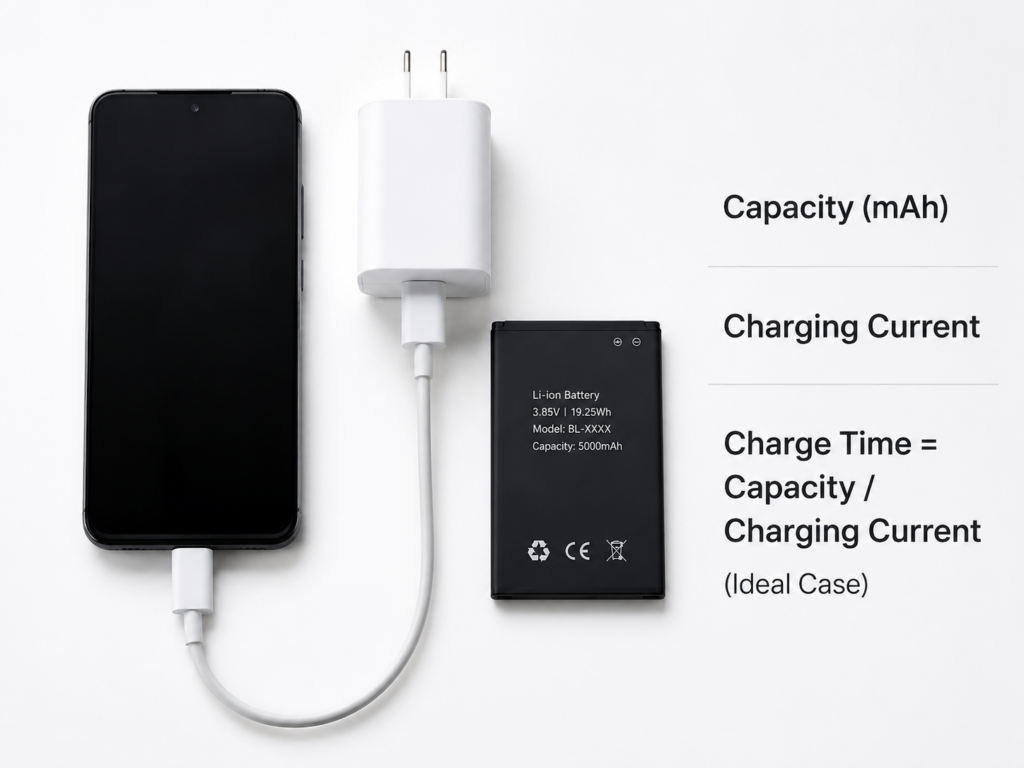
Charge Time (hours) = Battery Capacity ÷ Charging Current
Unit rule: If you use mAh for capacity, use mA for current. If you use Ah for capacity, use A for current. The units match and cancel out cleanly every time.
This formula gives you the theoretical perfect time — it assumes 100% efficiency and constant full charging speed the whole time. In real life, it will always take a bit longer.
The Lazy Real-World Adjustment
For regular lithium-ion batteries (phones, power banks, laptops), you can add one simple correction factor to get a much more realistic number:
Real Charge Time ≈ Ideal Time × 1.2
This equals roughly 83% overall efficiency, which matches most everyday wired charging scenarios for consumer electronics.
Step-by-Step Example
Let’s say you have a 5000 mAh phone battery and a 2000 mA charging current.
- Calculate ideal time: 5000 mAh ÷ 2000 mA = 2.5 hours
- Apply the real-world adjustment: 2.5 × 1.2 = 3 hours
Result: Roughly 3 hours to fully charge from empty.
Method 2: The Accurate Formula (For Realistic Results)
When you want a better estimate that accounts for your starting battery level and real efficiency, use this method. This is the core formula used by most professional online battery charging time calculators.
How It Works
First we calculate how much charge we actually need to add, then we calculate how much useful charge we get per hour (the effective charge rate). Divide one by the other, and you get your estimated time.
Effective Charge Rate = Charging Current × Charging Efficiency
Charge to Add = Battery Capacity × (Target SOC - Current SOC)
Charge Time = Charge to Add ÷ Effective Charge Rate
Common Default Values
- For standard lithium-ion phone batteries, use 90% (0.9) efficiency as a safe default
- Charging from 20% to 100% = 0.8 charge fraction
Step-by-Step Example
5000 mAh phone, 2A (2000 mA) charging current, charging from 20% to 100%, 90% efficiency.
- Charge to add: 5000 mAh × (1.0 – 0.2) = 5000 × 0.8 = 4000 mAh
- Effective charge rate: 2000 mA × 0.9 = 1800 mA
- Charge time: 4000 ÷ 1800 ≈ 2.22 hours (about 2 hours and 13 minutes)
Method 3: The Wattage Method (When You Only Know Charger Watts)
Most people only know their charger by its wattage (like 20W, 45W, 65W). This method lets you calculate charge time using watts, by working with battery energy instead of charge capacity.
You’ll need one extra number: your battery’s nominal voltage. This is usually printed on the battery or listed in your device’s technical specs.
Important: Use the actual charging power your device accepts, not just the maximum wattage printed on the charger. A higher-wattage charger will not force more power into a device that cannot accept it.
Step 1: Calculate Total Battery Energy
Energy is measured in watt-hours (Wh). This is the true measure of how much total power the battery holds.
Battery Energy (Wh) = Capacity (Ah) × Nominal Voltage (V)
Common nominal voltages for reference:
- Smartphones: 3.7V – 3.85V
- 12V car batteries: 12V nominal
- Laptops: 11V – 15V
Step 2: Calculate Charge Time
Charge Time = (Battery Energy × Charge Fraction) ÷ (Charging Power × Efficiency)
Step-by-Step Example
5000 mAh phone (3.85V nominal), 20W charging power, charging from 20% to 100%, 90% efficiency.
- Convert capacity: 5000 mAh = 5 Ah
- Total battery energy: 5 Ah × 3.85 V = 19.25 Wh
- Energy to add: 19.25 Wh × 0.8 = 15.4 Wh
- Effective power: 20 W × 0.9 = 18 W
- Theoretical time: 15.4 ÷ 18 ≈ 0.86 hours (~52 minutes)
Real-world note: In actual use, a 20W phone will usually take 60+ minutes for this charge. That’s because charging speed slows down significantly as the battery gets close to full — we explain exactly why next.
Battery Chemistry Cheat Sheet
Different battery types have very different charging behavior. Pick the one that matches your device for more accurate estimates.
| Battery Type | Charging Efficiency | Common Uses | Key Charge Trait |
|---|---|---|---|
| Lithium-Ion / LiPo | 85% – 95% | Phones, laptops, power banks, tablets | Fast at first, slows down near 100% |
| LiFePO4 (LFP) | 92% – 96% | Solar generators, e-bikes, some EVs | Longer fast-charge phase, slows later |
| Lead-Acid | 75% – 85% | Car batteries, UPS backup systems | Slow overall; 1.2–1.4x longer than ideal math |
| NiMH | ~70% | Rechargeable AA/AAA, small electronics | High heat loss; ~1.4x correction factor |
Why Real Charge Time Is Always Longer Than The Math
If you’ve ever done the math and thought “my phone took longer than that”, you’re not making a mistake. Real charging never stays at full speed the whole time. Here are the biggest reasons.
1. The Two-Stage Charging Process (CC/CV)
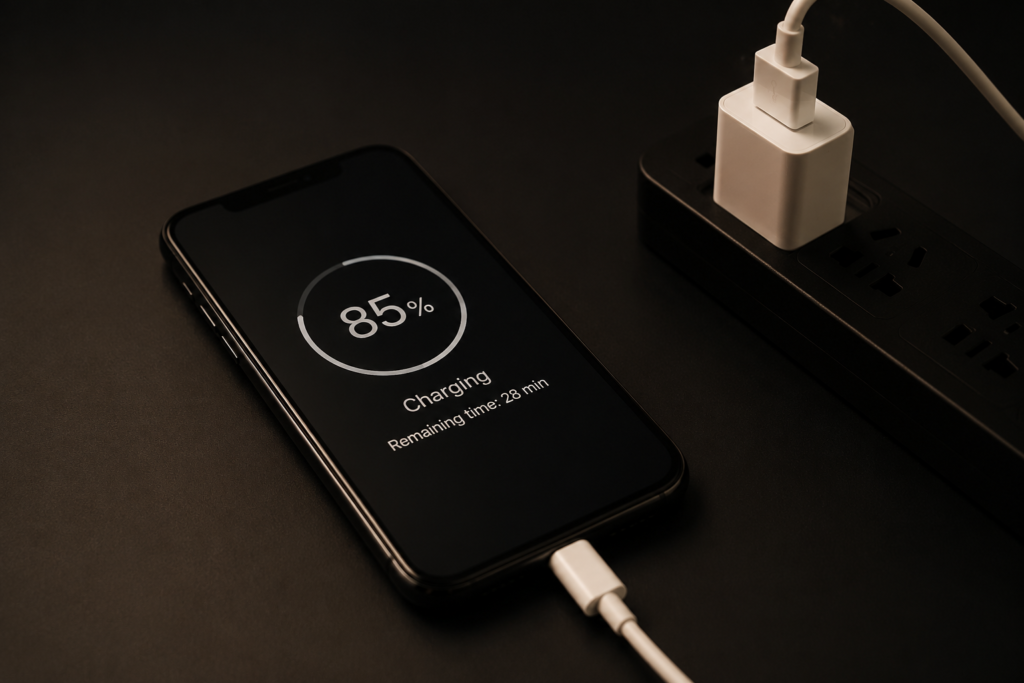
Most lithium-ion charging systems use a two-stage CC/CV charging method.
- Constant Current (CC) phase: The first large chunk of charging. The charger pushes steady current, voltage rises slowly, and the battery charges quickly.
- Constant Voltage (CV) phase: Once the battery reaches its maximum safe voltage, the charger holds voltage steady and slowly reduces the current. This tops off the battery safely without damaging the internal chemistry.
Common myth busted: It does not switch exactly at 80% for every device. The switch point depends on the battery design, voltage limits, and the device’s built-in battery management system (BMS). Some phones start slowing at 70%, others at 85%.
This CV “taper” at the end is why the last 10-20% of charge often feels like it takes forever.
2. Fast Charging Only Hits Peak Power For A Short Time
That 65W or 100W number on your fast charger is the peak maximum. It only hits that number when the battery is very low and cool. As the battery fills up and warms up, the power steadily drops. Your average charge power over the whole session is much lower than the big number on the box.
3. Temperature Changes Everything
- Too hot: The BMS slows down charging to prevent damage and overheating. Leaving your phone in direct sun while charging will make it take noticeably longer.
- Too cold: At low temperatures, most lithium batteries reduce charging speed or may temporarily limit charging power to protect the internal cells from damage.
4. Old Batteries Charge Slower (And Hold Less)
As a battery ages, its internal resistance goes up and its total capacity drops. More energy is lost as heat, so efficiency drops and charge time changes. A 3-year-old phone battery won’t charge as fast or hold as much as a brand new one.
5. Using The Device While Charging
If you’re scrolling, watching videos, or gaming while charging, some of the charger’s power is feeding the screen and processor instead of going into the battery. This makes charging noticeably slower.
Common Beginner Mistakes To Avoid
Mistake 1: Believing the charger’s wattage is what you get the whole time
Reality: Peak wattage only lasts for the first part of the charge. Average power over the full charge is always lower.
Mistake 2: Thinking more amps = always faster charging
Reality: Your battery and BMS have a maximum charge current limit. Going above that limit does nothing to speed up charging.
Mistake 3: Comparing mAh numbers across different voltages
Reality: mAh only means the same thing at the same voltage. A 5000mAh phone battery at 3.85V holds more energy than a 5000mAh battery at 3.7V. Always compare Wh for true energy comparisons.
Mistake 4: Expecting charge time to be exact to the minute
Reality: All charge time calculations are estimates. Temperature, battery age, software settings, and usage all change the real number. Think of your result as a reliable range, not a precise stopwatch time.
Real-World Calculation Examples
Example 1: Smartphone Fast Charging
Setup: 5000 mAh smartphone, supports 25W fast charging, charging from 20% to 100%, 3.85V nominal voltage, 88% average efficiency.
- Battery energy: 5 Ah × 3.85 V = 19.25 Wh
- Energy to add: 19.25 × 0.8 = 15.4 Wh
- Peak effective power: 25W × 0.88 = 22W (average power will be lower)
- Realistic estimate: 60 – 90 minutes total
Why the range? The phone will hit 25W only at low battery, then taper down. Exact speed depends on the phone’s charging software and ambient temperature.
Example 2: 12V Car Lead-Acid Battery
Setup: 12V 60Ah lead-acid car battery, 10A trickle charger, charging from 50% to 100%.
- Charge to add: 60 Ah × 0.5 = 30 Ah
- Ideal time: 30 Ah ÷ 10 A = 3 hours
- With lead-acid efficiency and absorption phase: ~3.5 – 4 hours realistic
Example 3: Power Bank Recharge
Setup: 20000 mAh power bank, 3.7V internal cells, 18W input charging, charging from 0 to 100%.
- Total cell energy: 20 Ah × 3.7 V = 74 Wh
- Account for internal voltage conversion losses: ~83% efficiency
- Effective average power: 18 W × 0.83 ≈ 14.9 W
- Estimate: 74 ÷ 14.9 ≈ 4.9 hours, roughly 4.5 – 5 hours total
How Our Online Battery Charging Time Calculator Works
Our free online calculator does all this math for you instantly. No manual calculations required — just plug in your numbers and get an immediate realistic estimate.
What You Can Input
- Choose your calculation mode: Pick between current-based (mA/A) or power-based (W) depending on what information you have handy.
- Battery info: Enter capacity and pick your units (mAh / Ah / Wh). Add your battery voltage if you’re using the wattage mode.
- Charge levels: Set your starting SOC and target SOC for partial charge calculations.
- Battery type: Pick your battery chemistry to auto-apply the correct efficiency range.
- Advanced options: Manually adjust efficiency, or enable the CC/CV taper correction for even more realistic end-of-charge timing.
What You’ll Get As Results
- Estimated total charge time in hours and minutes
- Theoretical charge speed (mAh per hour / Wh per hour)
- Estimated energy loss from inefficiency
- A simple breakdown of fast charge vs slow top-off phases
Frequently Asked Questions
What is the simplest formula for battery charge time?
The simplest everyday formula is: Charge Time = Battery Capacity ÷ Charging Current × 1.2. The ×1.2 accounts for real-world efficiency losses and works well for most lithium-ion consumer devices.
How do I calculate charging time from watts?
To calculate charge time using wattage, first find your battery’s total energy in watt-hours (Wh) by multiplying capacity in Ah by nominal voltage. Then divide the energy you need to add by the effective charging power (charger power × efficiency). The full formula is: Charge Time = (Battery Energy × Charge Fraction) ÷ (Charging Power × Efficiency).
Does a 65W charger charge faster than a 20W charger?
Only if your device actually supports 65W charging. If your phone is designed for a maximum of 25W, a 65W charger will not charge it any faster than a 25W charger — the device will only draw the power it can handle. For devices that do support higher wattage, a 65W charger will charge significantly faster during the early fast-charge phase.
Why does the last 20% take so long to charge?
Lithium batteries switch to a constant-voltage (CV) phase as they approach full charge. The charging current drops steadily to protect the battery from damage, so the final 10-20% charges much slower than the first 80%.
Is wireless charging slower than wired?
Yes, for two main reasons. First, wireless charging is less efficient (70-80% vs 85-95% for wired), so more energy is lost as heat. Second, most consumer wireless chargers have lower peak power than wired fast chargers. Overall, wireless charging is typically 30-50% slower.
Will a higher wattage charger damage my phone?
No. Modern devices use a battery management system (BMS) that only draws the amount of power it can safely handle. A higher wattage charger just has more headroom — it won’t force extra power into your device.
How long does a 12V car battery take to charge?
With a typical 10A household charger, a fully discharged 60Ah lead-acid car battery takes roughly 6-8 hours to fully charge. If it’s only 50% drained, expect roughly 3.5-4 hours. Always use a proper lead-acid charger for safety and battery health.
Final Thoughts
Estimating battery charge time doesn’t have to be complicated. At its core, it’s just “how much you need to add” divided by “how fast you can add it”, with a small adjustment for real-world losses.
Whether you use our online charge time calculator or do the math by hand, remembering these basics will help you plan your charging better, avoid surprises, and understand why your devices charge the way they do.