
Introduction
Modern life comes with more USB-C devices than ever before. A phone on your desk, a tablet beside your laptop, wireless earbuds in your bag, and maybe even a USB-C powered laptop — all of them need power.
The old solution was simple: one charger for each device. But that quickly creates a messy setup filled with multiple adapters, tangled cables, and limited wall outlets.
A USB-C charging station solves this problem by combining multiple charging ports into one smart power hub. Instead of using several separate chargers, you connect one charging station to the wall and charge multiple devices at the same time.
But a good USB-C charging station is not just a box with more ports. Inside, it contains intelligent power management systems that decide how much power each connected device needs, negotiate charging speeds, and protect your devices from electrical problems.
This guide explains how USB-C charging stations work, why some charge faster than others, what PD, PPS, and E-Marker chips mean, and how to choose the right one for your devices.
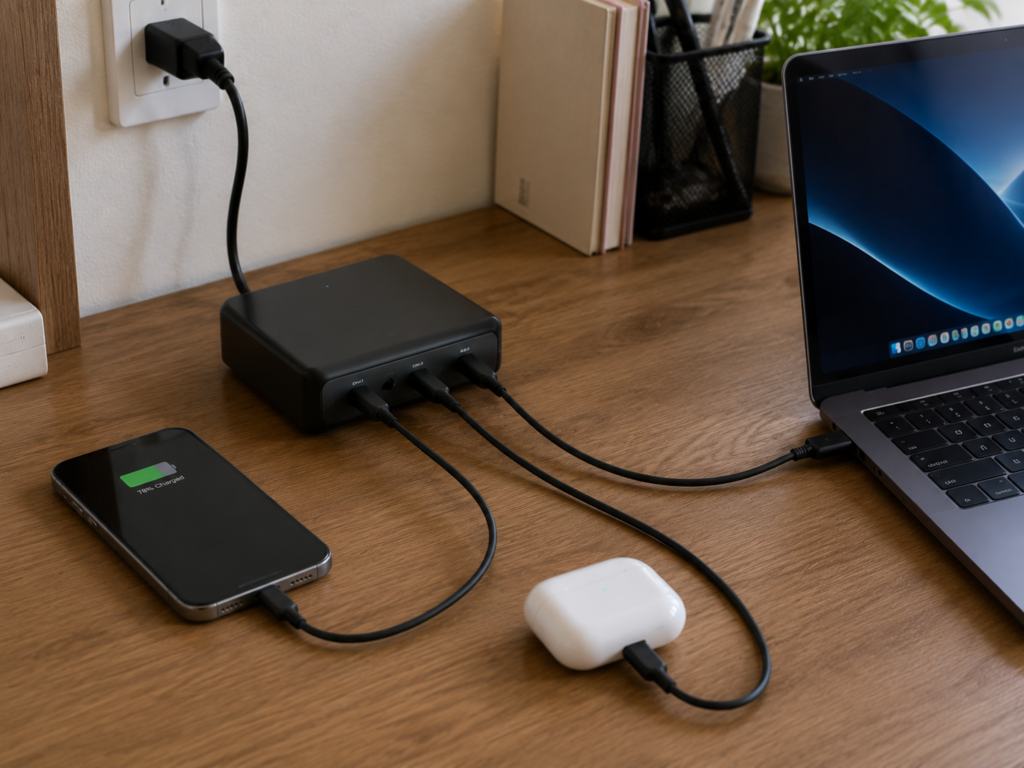
1. What Is a USB-C Charging Station?
A USB-C charging station is a multi-port charger designed to power several devices from one unit.
Unlike a simple power strip, a charging station actively manages electricity between connected devices. Its internal power management chip monitors each port and dynamically distributes available power.
For example:
- Your laptop may receive 65W
- Your phone may receive 20W
- Your earbuds may receive only a few watts
The charging station automatically adjusts power based on what each device needs.
Charging Station vs. Basic Multi-Port Charger
Older or simpler multi-port chargers often treat each port separately. Each port may have a fixed power limit and limited communication between devices.
Modern USB-C charging stations are smarter. They can communicate with connected devices and continuously adjust power distribution for better efficiency.
Think of it like a smart traffic system:
- A basic charger is like a road with fixed lanes
- A modern charging station is like a traffic controller that redirects cars depending on where traffic is needed most
2. Why USB-C Charging Stations Are Useful
Faster Charging
USB-C charging stations commonly use USB Power Delivery (PD), the universal fast-charging standard supported by most modern USB-C devices.
PD allows the charger and device to communicate and choose the fastest safe charging speed. Many compatible phones can reach around 50% battery or more in about 30 minutes under ideal conditions.
The actual speed depends on:
- Device support
- Battery size
- Temperature
- Cable capability
- Charging protocol compatibility
One Charger for Multiple Devices
USB-C has become the common charging connection for many products:
- Smartphones
- Laptops
- Gaming devices
- Earbuds
- Cameras
A single charging station can replace several separate chargers and reduce cable clutter.
A Cleaner Workspace
Instead of having five adapters connected to a power strip, you can use:
- One charging station
- One wall cable
- Several short charging cables
Your desk becomes simpler and easier to organize.
Automatic Power Distribution
A charging station does not permanently assign the same power to every port.
If you connect one device, it may receive the maximum available power. If you connect additional devices, the station automatically shares power between them. When one device finishes charging, the station can reduce power to that device and redirect available power elsewhere.
3. How USB-C Fast Charging Works
The Charging Negotiation Process
Fast charging is not the charger forcing electricity into your device. Instead, the charger, cable, and device communicate with each other before delivering high power.
The process works like this:
- The device connects to the charger
- The charger asks how much power the device can safely accept
- The device responds with its charging requirements
- The cable confirms how much power it can safely carry
- The charger delivers the agreed power level
This communication happens almost instantly every time you plug in. If any part of the system does not support fast charging, the device automatically falls back to a slower charging speed.
The E-Marker Chip in USB-C Cables
High-power USB-C cables often contain a small identification chip called an E-Marker.
The E-Marker tells the charger and device:
- How much current the cable supports
- Whether it can safely handle high-power charging
Without this information, devices may limit charging speed to protect the cable.
This is why a 100W charger does not always charge a laptop at 100W. If the cable cannot confirm that it supports high power, the system reduces output. The cable is an important part of the charging system — not just a connection between two devices.
4. Types of USB-C Charging Stations
Desktop Charging Stations
Designed for offices, desks, and nightstands.
Typical power:
- 20W–30W for phones and small devices
- 65W+ for tablets and laptops
- 100W+ for multiple high-power devices
Car Charging Stations
Designed for vehicle use. They convert the vehicle’s electrical system into the power levels required by USB-C devices.
Car charging stations face special challenges:
- Extreme temperatures
- Vehicle vibration
- Electrical fluctuations
High-quality models are designed to handle these conditions safely.
Portable Charging Stations
Portable models are designed for business trips, travel, and small bags. They usually provide fewer ports and lower total power, but prioritize size and convenience.
Magnetic Charging Stations
Some charging stations include magnetic alignment systems that hold devices in place. These are especially popular with phones that support magnetic accessories.
However, magnetic charging and USB-C charging serve different purposes:
- USB-C provides wired high-speed charging
- Magnetic systems focus on convenience
5. Understanding Charging Power Levels
Charging station power is measured in watts (W).
A higher wattage does not mean the charger forces more power into your device. The device controls how much power it draws.
Think of wattage like a water pipe: a larger pipe does not force water into your house. It simply provides more capacity when needed.
20W–30W Charging Stations
Suitable for phones, earbuds, and smartwatches. For basic charging needs, this is often enough.
45W–65W Charging Stations
The best choice for many users. Suitable for phones, tablets, and lightweight laptops. A 65W station can often charge a laptop while also powering another device.
100W+ Charging Stations
Designed for gaming laptops, multiple laptops, and high-power devices. These are ideal for users with many demanding devices.
GaN Technology
Many modern charging stations use GaN (Gallium Nitride) technology. Compared with traditional silicon components, GaN allows chargers to become smaller, generate less heat, and handle higher power more efficiently.
This is why many compact high-power chargers use GaN technology.
6. USB-C Charging Protocols
Having a powerful charger does not automatically guarantee fast charging. The charger and device must support compatible charging protocols.
PD (Power Delivery)
PD is the most widely supported USB-C fast-charging standard. It works with iPhones, Android phones, tablets, and laptops. For most users, PD is the most important feature to look for.
PPS (Programmable Power Supply)
PPS is an advanced version of PD. Instead of using fixed voltage levels, PPS allows more precise adjustments to match the device’s charging needs. It is especially useful for some Android phones that support faster charging through PPS.
QC (Quick Charge)
QC is Qualcomm’s fast-charging technology. It was common on older Android devices. Today, USB-C PD has become the more universal standard.
Proprietary Fast Charging
Some brands use their own charging systems. These may require official chargers or specially supported accessories to achieve maximum speed.
7. Safety Protection Features
Quality USB-C charging stations include multiple protection systems.
- Over-Voltage Protection: Stops charging if voltage becomes too high
- Over-Current Protection: Limits excessive current to prevent overheating
- Short-Circuit Protection: Immediately cuts power if a dangerous short circuit occurs
- Thermal Protection: Reduces power or pauses charging if internal temperature becomes too high
- Reverse Current Protection: Prevents electricity from flowing backward into the charger
These systems work together to protect both your devices and the charging station.
8. Choosing the Right USB-C Cable
USB-C to USB-C Cables
These are cables with a USB-C connector on both ends — the standard cable for modern PD fast charging.
Only C-to-C cables can carry the full PD fast-charging signal. Basic versions work for everyday charging, and high-power models include an E-Marker chip (a tiny ID chip inside the plug) that tells the charger how much current the cable can safely handle. This is what allows 65W, 100W, and higher wattage charging to work safely.
USB-A to USB-C Cables
Older USB-A ports usually provide lower power. These cables are useful for basic charging but generally cannot support modern high-power USB-C PD charging.
How to Identify a Good Cable
Look for:
- Power rating information
- 5A support for high-power charging
- Reliable manufacturers
- Proper certification information
A braided exterior may improve durability, but it does not guarantee high-power capability. The internal design matters more.
9. Common USB-C Charging Myths
Myth 1: A 100W Charger Will Damage My Phone
False. Your device decides how much power it needs. A 100W charger does not force 100W into a phone.
Myth 2: Every USB-C Cable Supports Fast Charging
False. USB-C describes the connector shape, not the charging capability. Cable design and internal chips determine power capability.
Myth 3: All Third-Party Chargers Are Dangerous
False. High-quality third-party chargers can be safe if they follow proper standards. The risk comes from cheap products with poor power control and missing safety features.
Myth 4: Charging Overnight Always Damages Batteries
Modern devices use battery management systems that reduce or stop charging when needed. However, heat remains one of the biggest factors affecting battery aging.
10. Maintenance Tips
Keep It Cool
Place the charging station in a ventilated area. Avoid covering it with blankets, paper, or other objects. Heat reduces electronic component lifespan.
Keep Ports Clean
Dust inside USB-C ports can cause poor connections. Use gentle cleaning methods and avoid metal tools that may damage internal contacts.
Protect Your Cables
Most cable failures happen near the connector. Avoid sharp bends and pulling the cable instead of the plug.
Summary
A USB-C charging station is much more than a device with extra ports. It is a smart power management system that distributes power between multiple devices, negotiates fast charging speeds, uses cables and protocols intelligently, and protects devices through multiple safety systems.
The most important things to remember:
- USB-C connector shape does not determine charging speed
- PD is the universal fast-charging foundation
- E-Marker chips allow cables to safely support higher power
- Higher wattage does not damage devices
- The charger, cable, and device must work together
With the right USB-C charging station, one compact device can replace multiple chargers and safely power your entire collection of modern electronics.