
If you’ve ever shopped for a USB-C cable, you’ve probably felt confused: two cables look almost identical, but one costs $5 and the other costs $50. You buy a “100W fast charging cable” only to find it won’t connect to your monitor. You pay extra for a “high-speed” cable, and file transfers still feel slow.
Picking the right USB-C cable is harder than it looks. There are dozens of specs — wattage, data speed, video support, E-Marker chips, certification — and most people don’t have time to learn all of them.
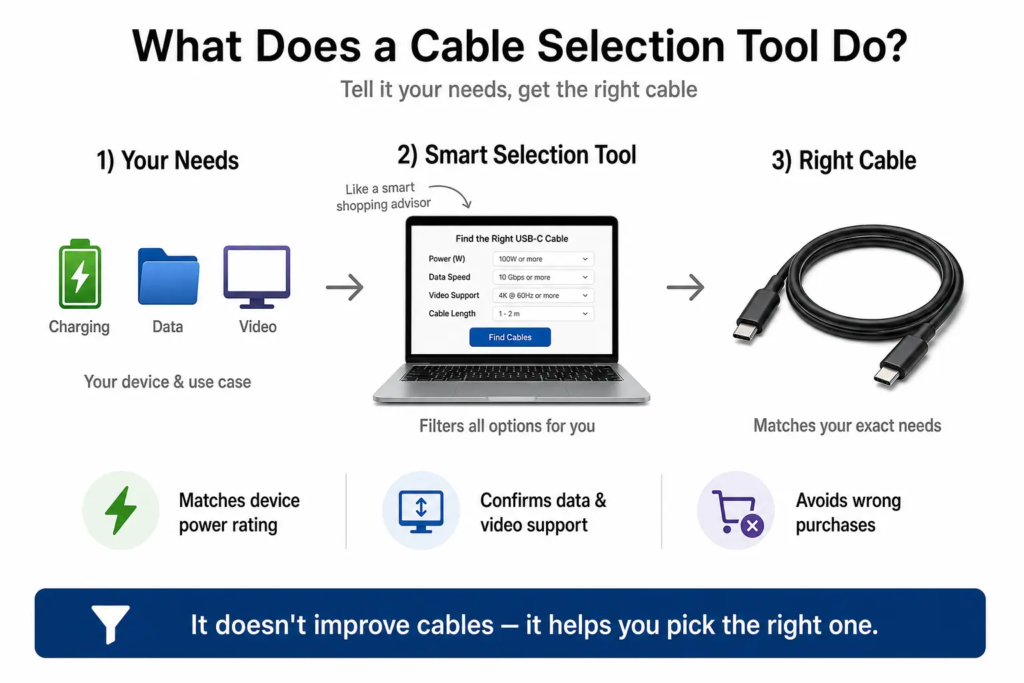
Think of buying a USB-C cable like picking a delivery service. If you’re just sending a text document, you don’t need an expensive next-day freight truck. If you’re moving large, fragile files and video, a basic cheap envelope won’t work. A USB-C cable selection tool is like a smart shipping advisor: you tell it what you need to send, and it picks the right cable for the job — no overpaying, no underperforming.
1. Why You Need a Cable Selection Tool (Common Shopping Headaches)
These are the exact frustrations a selection tool solves:
- Two USB-C cables look nearly identical, but their prices differ by 10x or more, with no obvious reason why.
- You can’t tell if you need a 60W, 100W or 240W cable for your laptop or phone.
- You can’t tell the difference between a charge-only cable, a data cable, and a full-featured cable — and it’s easy to buy the wrong one.
- You buy a high-wattage cable, only to discover it cannot output video to a monitor.
- Cables advertised as “high-speed” often fail to reach their rated transfer speed in real use.
- Spec sheets are packed with technical terms, making it almost impossible to tell if a cable actually works with your device.
Without a selection tool, most people either overspend on features they will never use, or buy a cheap cable that doesn’t do what they need.
2. What a USB-C Cable Selection Tool Actually Does
2.1 Match Cables to Your Device Type
Tell the tool what you own — phone, tablet, laptop, monitor, docking station — and it automatically recommends cables that meet that device’s charging, data, and video requirements.
2.2 Calculate the Right Charging Power Rating
Based on your device’s maximum charging power, it recommends cables with the correct current and power rating. This avoids two common mistakes: buying a cable that cannot support your device’s required charging current or power level, or overpaying for a 240W cable when your device only needs 65W.
Note: For charging above 100W, the charger, cable and device must all support USB PD 3.1 Extended Power Range (EPR). A high-wattage cable alone cannot enable 240W charging.
2.3 Match Data Speed to Your Use Case
It sorts cables by real-world use case: charge-only, everyday file transfer, high-speed external SSD, or USB4 ultra-high-speed. You pick the scenario that matches your needs, instead of memorizing speed numbers.
2.4 Confirm Video Output Capability
If you need to connect a monitor, it automatically filters for cables that support video output, matched to your desired resolution and refresh rate.
Important reminder: A cable alone cannot add video output to your device. Your device’s USB-C port must support DisplayPort Alt Mode or Thunderbolt, or support USB4 where video tunneling is available. The tool just makes sure the cable won’t be the bottleneck.
2.5 Flag Compatibility Risks Before You Buy
It warns you about potential issues: charge-only cables with no data support, cables too slow for your use case, cables missing an E-Marker chip for high power, and other spec mismatches. This stops you from buying a cable that simply will not work for your setup.
3. How It Works (In Simple Terms)
A cable selection tool matches your needs against official USB-IF specifications and cable capability information, then filters out anything that does not fit.
Think of it as a smart filter for cable products. You enter what you want to do, and it sifts through hundreds of cable options to show you only the ones that meet your requirements.
Key points to know:
- It does not improve or change a cable’s real performance. It only helps you find cables that already meet your needs.
- Its recommendations are based on core specs: power rating, data speed, video support, and official certification status.
- You do not need to understand USB protocols or pin layouts to use it. It handles all the technical matching for you.
4. Who Should Use These Tools?
4.1 Regular Consumers
- Confirm the right cable specs before buying, to avoid wasting money on the wrong product.
- Quickly narrow down options when faced with dozens of similar-looking cables.
4.2 Tech Enthusiasts
- Compare which cable specs fit different use cases.
- Match the most appropriate cable for each device in their setup.
4.3 Purchasing & Support Teams
- Quickly filter compliant cables for bulk orders.
- Fast, accurate answers for customers asking which cable works with their device.
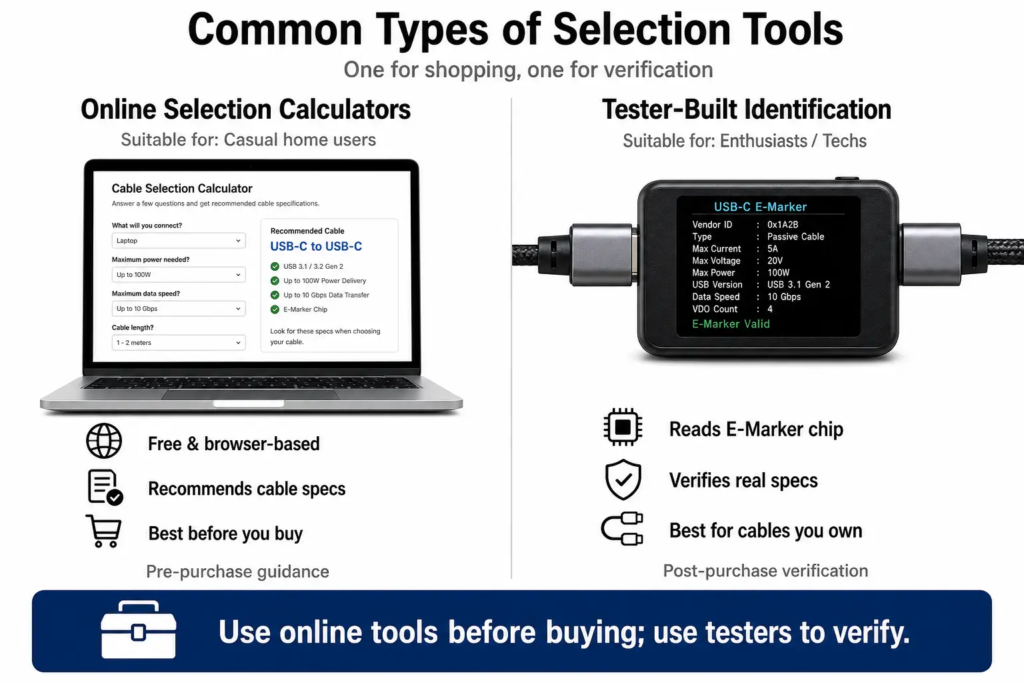
5. Common Types of Selection Tools
5.1 Online Selection Calculators
- Web-based tools you use right in your browser. Enter your device type and what you need, and you get an instant recommendation.
- Simple and free, perfect for everyday users.
5.2 Official Brand Selection Tools
- Built by charger and cable brands to recommend their own products.
- Results are generally optimized for that brand’s own products, but usually do not cover third-party cables.
5.3 Selection Features Built Into USB Testers
- Some professional USB-C testing tools include built-in cable identification and basic selection guidance.
- Most useful for users who already own a USB power meter or analyzer.
6. How to Choose the Right USB-C Cable for Your Device
You can use this as a quick cheat sheet, no tool required:
- Everyday phone / tablet use: A 60W-rated cable is usually enough. Choose USB 2.0 if you only need charging and occasional small file transfers, or USB 3.x if you transfer files often.
- Thin & light office laptops: Pick a full-featured USB-C cable rated for your laptop’s maximum charging power. Make sure it supports both data transfer and video output.
- Gaming laptops / high-power devices: Choose a cable that matches your device’s maximum supported USB-C charging power. For charging above 100W, make sure the charger, cable and device all support USB PD 3.1 EPR.
- External high-speed SSD: Pick a cable rated for 10Gbps or faster, to avoid bottlenecking your drive’s speed.
- 4K / 8K external monitors: Choose a full-featured cable with verified video output support.
- Thunderbolt devices: Always use an officially certified Thunderbolt cable to guarantee full feature support.
7. Practical Tips for Buying USB-C Cables
- Just because two USB-C cables look the same does not mean they have the same capabilities. Always check core specs before buying.
- Remember that the USB-C connector only defines the physical shape of the cable. Charging power, data speed, and video capability all depend on the cable’s actual specifications.
- Charging power and data speed are not tied together. A high-wattage cable may only support slow USB 2.0 data, and a high-speed data cable may not support the highest power levels.
- Shorter cables perform better for high-speed use. The longer the cable, the more high-speed signal weakens. For long-distance high-speed connections, choose an active USB-C cable with built-in active electronics that help maintain signal integrity over longer distances.
- For Thunderbolt devices, prioritize officially certified Thunderbolt cables. For standard USB-C devices, prioritize USB-IF certified products.
- Thunderbolt 4 and Thunderbolt 5 cables work with USB4 devices, but USB4 cables do not always support Thunderbolt features.
- Choose cables built to current mainstream standards — they will remain compatible with more current and future USB-C devices.
- Don’t shop by the “USB-C” label alone. Always check four key things: maximum charging power, data transfer speed, video output support, and official certification.
- If you need fast charging, high-speed data, and monitor output all from one cable, choose a full-featured USB-C cable — don’t shop on wattage alone.
Quick Summary
A USB-C cable selection tool takes the guesswork out of buying cables. It matches your device and your use case against official specs, so you get exactly the cable you need — no overspending, no compatibility surprises.