
You may have seen the “MFi” logo on the packaging of Apple accessories on Amazon, local e-commerce platforms, or in accessory stores—some cables cost a few dollars, others are two or three times more expensive, and all list MFi as a selling point. What exactly is it? Do you have to buy MFi-certified products for all Apple accessories? How do you tell if it’s a real certification or just a merchant’s boast? Will buying the wrong one damage your phone?
This article will start from the most basic definition, cover how to verify authenticity, how to choose according to scenarios, and how to avoid common pitfalls. Even if you are new to Apple accessories, you will be able to make judgments on your own after reading it.
1. What is MFi Certification: Definitions and Boundaries for Beginners to Understand in Seconds
Plain Language Definition: Apple’s “Ecosystem Compatibility Authorization” for Third-Party Accessories
Simply put, MFi is the “ecosystem entry ticket” that Apple issues to third-party accessories—they are not accessories produced by Apple itself, but Apple recognizes that they can work stably with devices such as iPhone, iPad, and iPod in accordance with official rules. Its full name is Made for iPod/iPhone/iPad. It was first launched for iPod accessories, and later gradually covered the full range of Apple mobile devices.
It should be noted that MFi is not a certificate issued independently by a third-party testing organization, but a complete program led by Apple: there are clear rules for everything from what authorized parts accessories must use, what technical specifications they must meet, what tests they must pass, to whether the relevant logo can be printed on the packaging and how to label compatible devices. Third-party manufacturers must abide by these rules throughout the process, and only after their products pass the tests can they obtain authorization and legally claim to be MFi-certified products.
For ordinary users, you just need to remember: accessories with formal MFi authorization are third-party products recognized by Apple that can legally adapt to the interfaces and basic functions of Apple devices. We use this judgment standard when buying Lightning charging cables, USB-C to Lightning cables, Lightning adapters, CarPlay connection cables, or some MagSafe, Apple Watch, and Find My ecosystem accessories.
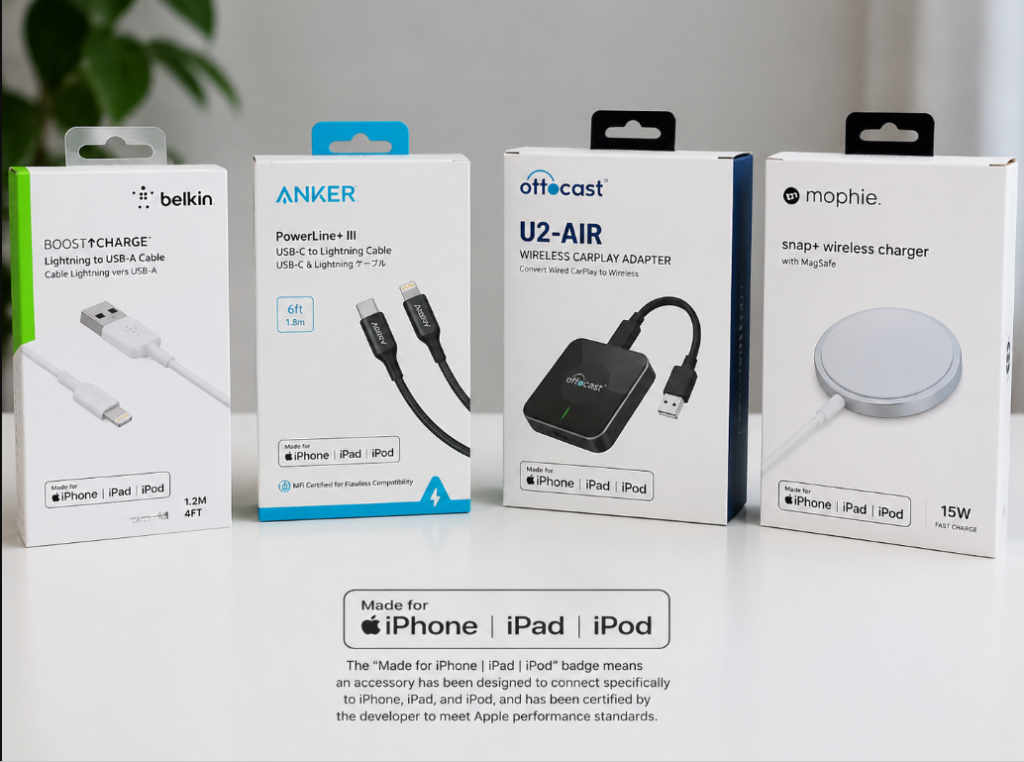
The Relationship Between MFi and Other Apple Ecosystem Logos
Many people think that all products printed with Apple-related logos are “MFi certified”, but this is not the case. The most common MFi logo is “Made for iPhone/iPad/iPod”, which is mainly for interface and basic compatibility accessories.
Logos such as “Works with Apple Find My” and “Works with Apple Home” belong to other Apple ecosystem authorization programs—for example, Find My is the authorization for anti-lost accessories to access Apple’s Find My network, HomeKit is the authorization for smart home devices to access Apple’s Home system, and CarPlay, AirPlay, MagSafe, and Apple Watch fast charging also have their own rules and requirements. They all fall under the broad category of Apple ecosystem authorization, but they are not the same consumer-facing concept, and you cannot use the term “MFi” to summarize all Apple-related certifications.
You can understand it this way: just like a school has student ID cards, library cards, and canteen meal cards, all issued by the school, but with different uses. When buying accessories, don’t just look for the three letters “MFi”; look at the specific functions the product claims and which official logo corresponds to them. MFi is the most commonly heard concept of Apple accessory authorization, but Apple ecosystem certification is far more than just this one.
Core Boundaries: What MFi Covers and What It Doesn’t
To understand the role of MFi, you must first clarify its capability boundaries, otherwise it is easy to waste money or have too high expectations for it.
- What it mainly covers: Interface standards, protocol communication, functional compatibility, authorized logo usage rules between third-party accessories and Apple devices, as well as basic requirements for ecosystem access. Simply put, it is “whether it can work well with Apple devices”.
- What it does not cover:
- Apple’s own official brand accessories, such as the original cables sold on Apple’s official website, do not need to be called “MFi accessories”, because they are Apple’s own products.
- Product quality grade: Passing MFi does not mean the cable is the most durable, charges the fastest, or has the highest-end workmanship. It is just a compatibility access threshold, not a quality rating.
- Electrical safety: MFi cannot replace safety or market access certifications such as UL, ETL, CE, FCC, and CCC. For charging safety, fire prevention, and electric shock prevention, you need to look at special safety standard certifications.
- All Apple peripherals: Purely physical protective cases, screen protectors, stands, ordinary watch bands, and storage bags do not require electronic interaction with Apple devices, and usually do not involve MFi.
You can remember a simple judgment mnemonic: if the accessory needs to “talk” to the Apple device—that is, perform electronic identification, use Apple’s exclusive protocols, or use Apple’s exclusive functions—you should pay attention to Apple authorization; if it only has a purely physical function like being put on the device or propping it up, you usually don’t have to fixate on MFi.
6 Most Easily Confused Groups of Concepts
Many people’s misunderstandings about MFi come from confusing it with other concepts. Let’s clarify them all at once:
- MFi ≠ Apple original: MFi products are produced by third-party manufacturers and authorized by Apple, not made by Apple itself.
- MFi ≠ Plug-and-play: Being able to physically plug in and charge right after plugging in does not mean long-term compatibility, complete functions, or system recognition. Many cracked cables work fine at first, but fail as soon as the system is upgraded.
- MFi ≠ Top quality: It only guarantees basic compatibility and ecosystem access. Whether the cable jacket is durable, the connector is resistant to bending, and the materials are good depends on the manufacturer’s own positioning and quality control.
- MFi ≠ Safety standard certification: It cannot replace the electrical safety certification that power products must have. For example, the fire prevention and electric shock prevention of chargers have nothing to do with MFi.
- MFi ≠ All HomeKit/Find My certifications: They all belong to Apple ecosystem authorization, but belong to different programs with different logos and requirements, and cannot be confused.
- MFi ≠ Hack-proof insurance: The authorization handshake only solves identification and compatibility problems. The data risk of public charging still needs to be reduced by methods such as bringing your own charger, using a charging-only cable, and turning on USB restricted mode.
2. Why Ordinary Users Should Care About MFi
Some people may say: the cable I bought for a few dollars can also charge, why should I spend more on an MFi one? Its value is actually reflected in the stability of long-term use and risk control.
Compatibility and Stability: Reduce the Probability of “This Accessory May Not Be Supported”
Formal MFi accessories are designed in accordance with Apple’s specifications, and functions such as connection recognition, charging, data transmission, audio wire control, and in-car connection will be more stable. The most typical scenario is system upgrade: many uncertified cracked accessories work in the short term by simulating protocols or using cracked chips. Every time iOS/iPadOS is updated, Apple may adjust the verification rules, and the crack is likely to fail, popping up the prompt “This accessory may not be supported”, or even directly failing to charge or transmit data.
Especially for in-car CarPlay cables, external storage, audio adapters, and main cables that are plugged and unplugged every day, the value of MFi will be more obvious—you don’t want the cable to suddenly disconnect when you’re driving and navigating, right?
Of course, it should also be made clear: MFi can only reduce compatibility risks, and does not guarantee that it will never break. Cable aging, dust in the interface, loose device interface, and excessive bending during use—even MFi accessories will have problems in these situations.
Reduce Abnormal Risks Caused by Inferior Accessories
For interfaces like Lightning that require authorized chips, formal MFi certification can reduce identification failures and abnormal operation problems caused by counterfeiting, cracking, and cutting corners. For example, some inferior cables charge intermittently, or can only charge slowly when plugged in—these are common problems with uncertified accessories.
But here we must draw a clear boundary: MFi only means that the Apple-related interface and protocol parts meet the requirements, and does not mean that the charging safety of the entire product is guaranteed. Charging safety mainly depends on the power of the charger, safety standard certification, cable specifications, and brand quality control. Even if you use an MFi cable, paired with an inferior unbranded charger, there is still a risk of overheating and damaging the device.
There is another point that many people ignore: MFi is not a data security certification. When using public charging stations at airports or cafes, if you are worried about data theft, don’t think that MFi makes you safe. It is still better to use your own charger, power bank, or a charging-only cable, and you can also turn on the USB restricted mode on your phone.
Clearer After-sales Service and Responsibility
Formal MFi or Apple ecosystem authorized products usually have clear brand, model, packaging, barcode, and after-sales entity, so you can find the person responsible when something goes wrong. For those unbranded white-label products and three-no products with counterfeit Apple packaging, you can’t even find the seller when something goes wrong, especially when purchasing cross-border, the cost of rights protection is particularly high.
In addition, Apple’s official warranty terms usually do not assume warranty responsibility for device damage caused by third-party uncertified accessories—of course, the specific situation shall be subject to the after-sales test conclusion, but if the phone is damaged by charging with an inferior unbranded cable, you will most likely have to pay for the repair yourself. Needless to say, how high the repair cost is overseas.
MFi’s Capability Boundaries: Don’t Treat It as a Universal Label
Many people have too high expectations when buying MFi accessories. Let’s clarify what it cannot do:
- Durability is not guaranteed: The lifespan of a cable depends on the cable jacket material, terminal reinforcement design, bending resistance, and your own usage habits—for example, if you like to fold the cable into a ball and stuff it in your bag, even the best cable is easy to break.
- Fastest charging is not guaranteed: Charging speed is determined by the device model, charger power, cable specifications, ambient temperature, battery health, and the system’s charging strategy. It is useless to rely only on an MFi cable. For example, if you use an MFi USB-C to Lightning cable but pair it with an old 5W charger, it definitely won’t charge fast.
- Legal sale in all countries is not guaranteed: MFi is Apple’s ecosystem authorization, not a market access permit for each country. To sell in the EU, you need CE; to sell in the US, you need FCC; to sell in the UK, you need UKCA. MFi does not cover these compliance requirements.
- All functions being the same is not guaranteed: Even among MFi cables, some can only charge, some support data transmission, and some support higher power. It depends on the product parameters; having MFi does not mean full functionality.
3. Which Products Need MFi: Judge by Interface, Protocol, and Function
Many people ask “does it have MFi?” for everything when buying accessories, but it’s completely unnecessary. Different categories have different requirements.
Products for Which MFi/Apple Authorization Is Strongly Recommended
For the following categories, it is more worry-free to prioritize products with formal Apple authorization:
- Lightning charging cables, USB-C to Lightning cables: especially daily main cables, in-car cables, and cables that need to transmit data.
- Lightning adapters: such as headphone adapters, card readers, USB flash drives, audio interfaces, and video adapter accessories.
- Functional peripherals with Lightning connectors: such as wired headphones, microphones, and game controllers.
- CarPlay-related connection devices: wired CarPlay connection cables, in-car converters, and some car head unit adaptation accessories.
- Third-party wireless chargers for Apple Watch: especially products that claim to support fast charging or are used for long-term overnight charging.
- Official MagSafe magnetic charging products: if they claim to support the full Apple MagSafe experience, pay attention to whether they are authorized by Apple, not just writing “magnetic” casually.
- Works with Apple Find My anti-lost devices: confirm whether they actually access Apple’s “Find My” network and can be added and located normally in the Find My app.
Products That Usually Do Not Need MFi
The following categories basically have nothing to do with MFi, so you don’t have to force yourself to find this logo:
- Purely physical accessories: protective cases, screen protectors, stands, ordinary watch bands, and storage bags. These only have physical functions and do not require electronic interaction with the device.
- Ordinary USB-C to USB-C cables: they follow the universal USB standard. Just prioritize looking at USB-IF certification, cable power labeling, data rate, and brand quality.
- Ordinary USB-A/USB-C chargers: prioritize looking at fast charging protocols such as USB PD/QC, power, safety standard certification, and brand reliability.
- Ordinary Bluetooth headsets and Bluetooth speakers: they follow the universal Bluetooth protocol and do not require MFi just because they connect to an iPhone.
- Ordinary Qi or Qi2 wireless chargers: Qi/Qi2 are universal standards of the Wireless Power Consortium, not equal to MFi; only those that claim to support Apple’s exclusive MagSafe functions need to be checked for Apple authorization.
How to Judge Easily Confused Edge Products
There are also some products in the gray area. Whether you need to check MFi depends on whether they have Apple-exclusive functions:
- Car chargers: ordinary car chargers with only USB output ports do not need MFi; if they come with a Lightning cable, have CarPlay function, or support Apple’s exclusive fast charging protocol, you should pay attention.
- Power banks: ordinary power banks with only USB output ports do not need MFi; if they come with a Lightning input/output connector, or claim to have Apple-exclusive functions, you need to check the specific authorization.
- Protective cases: ordinary protective cases do not need it; if they have a built-in Find My module, MagSafe charging module, or other electronic interaction functions, you need to check the corresponding Apple authorization.
- Magnetic chargers: just writing “magnetic wireless charging” is not equal to MagSafe certification. Many are just ordinary Qi wireless chargers with added magnets. Officially MagSafe-authorized products usually have more accurate magnetic positioning, exclusive charging animations, and a standard charging power experience.
- USB-C docks: for ordinary docks used with iPad or Mac, just look at universal standards such as USB, Thunderbolt, HDMI, and PD; only when they have built-in Apple-exclusive functions do you need to check Apple authorization.
Changes in the USB-C Era: How to Judge for iPhone 15 and Later
After the iPhone 15 series switched to the USB-C interface, many people said MFi is useless, but that’s actually half right and half wrong.
- For ordinary USB-C to USB-C cables, you really don’t need to buy MFi ones just to connect to an iPhone; they follow the universal USB standard. When choosing, prioritize looking at the supported power (such as 60W/100W/240W), data rate (USB 2.0/USB 3.x/USB4), whether there is an E-Marker smart chip (a small component used to negotiate power and rate), whether there is USB-IF certification, and brand quality control.
- USB-C to Lightning cables are still used for older Lightning devices, and it is still recommended to choose MFi-certified ones.
- Apple ecosystem-exclusive functions such as MagSafe, Apple Watch, Find My, and CarPlay may still require Apple authorization—switching the interface from Lightning to USB-C does not mean that Apple’s ecosystem authorization rules have disappeared.
If you use a mix of old and new devices, don’t just ask “does it have MFi?” first. Ask yourself a few questions: What interface is my device? What protocol does this cable support? Am I using it for charging or data transmission? Am I using any Apple-exclusive functions? Once you figure out these questions, you won’t buy the wrong one.
4. The Operating Logic of MFi Certification: Plain Language Principles Users Need to Know
You don’t need to understand complex chip technology, but knowing a little basic operating logic can help you avoid many pitfalls.
Basic Rules: Authorized by Brand, Model, and Function
The applicants for MFi certification are usually formal enterprises. They need to join Apple’s authorization program and abide by the full set of specifications. Individual sellers or small workshops cannot apply formally at all.
Moreover, certification is managed by specific product model, function, and configuration. It is not that once a manufacturer passes MFi once, all products can use the MFi logo. The same brand may sell both MFi and non-MFi products at the same time. Consumers must check the specific model, not just look at the brand.
If the product is revised, such as changing the chip, changing the interface, or changing key materials, it needs to be re-evaluated and tested. If the manufacturer violates the rules, such as counterfeiting the logo or abusing authorization, Apple may revoke the authorization and remove the product from the official database.
What Is Generally Audited: The Focus Varies by Category
Apple has a lot of audit content, but for ordinary users, you just need to know the general direction, no need to memorize details:
- Interface and protocol consistency: whether identification, communication, charging, data transmission, or function calling are completed in accordance with Apple’s requirements.
- Function adaptation: whether the functions claimed by the product can actually be used normally on the specified Apple devices and system versions.
- Electrical-related requirements: the electrical parameters of the interface, abnormal protection, and compatibility performance meet Apple’s specifications—but note that this is only the part related to the Apple interface, and is not equal to a complete safety standard certification.
- Wireless and radio frequency requirements: only required for products with wireless functions, such as compatibility and interference control of Bluetooth, Wi-Fi, NFC, and UWB modules.
- Logo and packaging specifications: logos such as Made for and Works with must be used in accordance with Apple’s requirements. The Apple Logo cannot be printed randomly, nor can consumers be misled.
- Privacy and ecosystem rules: ecosystem products such as Find My and HomeKit must also comply with additional rules such as data processing, network configuration, account, and privacy prompts.
Why Uncertified Accessories Are Prone to Pop-ups or Failure
Many people have encountered the pop-up “This accessory may not be supported”. This is because accessories with interfaces like Lightning require Apple-authorized authentication chips, and the device will perform identity and protocol verification when connected.
Many uncertified accessories use cracked chips, or get by by simulating protocols. They may work fine at first, but once Apple upgrades the system and the verification rules change, the crack will fail, resulting in pop-ups, or even direct inability to charge, disconnection, and failure to transmit data.
However, note that a pop-up does not necessarily mean it is a fake. Dust in the interface, oxidation, cable damage, abnormal charger, worn device interface, and system bugs can all cause pop-ups. When you encounter a pop-up, don’t rush to scold the seller for selling fakes; first check these simple problems.
You don’t need to understand how the chip works. Just remember: certification affects long-term compatibility and functional stability, not just that the screen lights up when you first plug it in.
5. How Ordinary Users Verify MFi Authenticity: 3 Practical Methods
Now many merchants claim that their products have MFi, but it’s hard to tell the real from the fake. Here are three practical methods to verify step by step, from before purchase to after you receive the product.
Method 1: Check Whether the Packaging, Logo, and Copy Are Formal
Before buying, first look at the product page and packaging. Formal MFi products have several characteristics:
- They will use official logos allowed by Apple, such as “Made for iPhone/iPad/iPod”, or the corresponding “Works with Apple” series of logos, and will not print the Apple Logo randomly.
- The packaging will clearly mark the brand name, product name, specific model, barcode, and compatible device or system requirements.
- The product copy will clearly state “MFi certified” or “obtained Apple MFi authorization”, rather than borderline statements.
Be especially wary of these borderline phrases, none of which are equal to MFi certification:
- Only writing “MFi chip”, “suitable for Apple”, “for iPhone”, “same style as Apple”, “original factory solution”
- Packaging that imitates Apple’s original style, or is covered with Apple Logos without authorization
- Only showing partial certification logos, not daring to show complete product model and brand information
Formal product copy should be able to clearly answer these questions: What is the brand? What is the model? Which product does the certification correspond to? What functions is it compatible with? If these cannot be explained clearly, there is probably a problem.
Method 2: Query Using Apple’s Official MFi Database
The most reliable method is to directly check Apple’s official authorized accessory database. You can search for “Apple MFi Licensed Accessories” on Google to find Apple’s official query page.
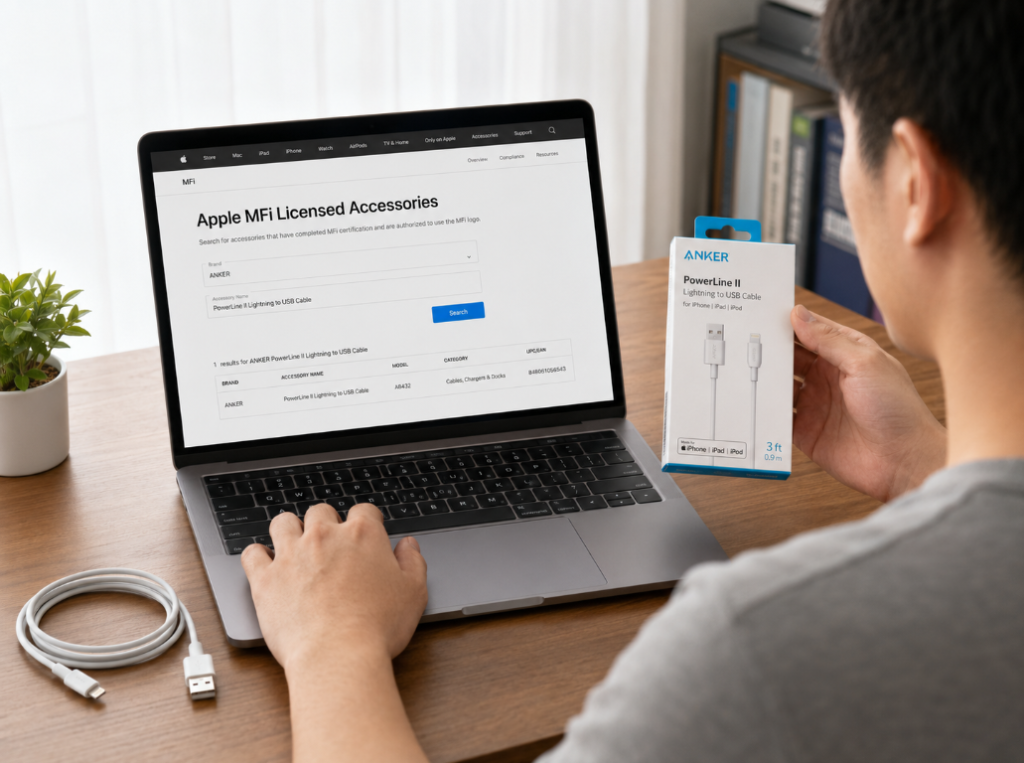
When querying, you can use these fields: brand name, product model, UPC/EAN product barcode. After finding it, check whether the brand, product name, model, and barcode in the database are consistent with those on the packaging, e-commerce page, and physical label—if it can be found and the information matches, the credibility is the highest.
Of course, not being found does not necessarily mean it is fake. Common reasons include: inconsistent model input, the brand’s English name is different from what you searched for, the barcode is not entered into the database, the database update is lagging, or the product is not displayed for this query channel.
But if it is a mature model that has been sold for a long time, cannot be found for a long time, and the seller cannot provide verifiable brand, model, barcode, or authorization instructions, then you should be highly vigilant.
Method 3: Perform Actual Use Tests After Receiving the Product
If you have already bought it, you can use it actually and judge whether it is reliable from its performance:
- Basic identification test: whether it is stably recognized after connecting to the device, and whether the prompt “This accessory may not be supported” pops up repeatedly.
- Charging test: whether it can charge stably, whether the interface is abnormally hot, and whether it frequently stops charging.
- Fast charging test: pay attention to the prerequisites here—iPhone 8 and above Lightning models, USB-C PD charger, MFi USB-C to Lightning cable, start charging at low battery (for example, around 20%), moderate ambient temperature, and normal battery health. If these conditions are met, charging with the screen off for 30 minutes can charge to about 50% or higher—of course, this result will be affected by temperature, battery health, background load, and charger power, and is only a reference.
- Data function test: whether it can be recognized normally when connected to a computer, whether it can transfer photos or files, and whether it disconnects frequently.
- CarPlay test: whether navigation, music, voice, and calls are stable, and whether it disconnects when the vehicle is driving and vibrating.
- Audio/wire control test: whether volume adjustment, pause, song switching, and microphone functions are normal.
Semi-proficient Judgment: Multi-dimensional Cross-verification
If you want to be more accurate, you can combine several methods for cross-verification:
- The models on the official database, brand official website, e-commerce page, packaging, and physical label should be as consistent as possible; the model cannot be different everywhere.
- Don’t just look at the brand: different models of the same brand may or may not have certification. Be sure to check the specific model.
- Don’t just look at the price: too cheap ones must be wary of, but high prices may also be fake certification or marketing premium. You can’t judge only by price.
- Don’t just look at pop-ups: no pop-ups do not mean it is real MFi, and pop-ups may also be caused by a dirty interface or broken cable.
- Channels are very important: brand official websites, authorized retailers, and official flagship stores on mainstream platforms are much more reliable than unbranded low-price small shops.
- Be cautious with price references: the price of ordinary 1-meter MFi Lightning cables varies greatly in different countries, different brands, and different promotional periods. It is only used as a risk signal when the price is ridiculously low.
6. The Difference Between MFi and Other Certifications: Don’t Treat Compatibility Authorization as Universal Compliance
Many people confuse MFi with various certifications. Here we compare several common types to help you understand their respective roles.
MFi vs Apple Original
This is the most easily confused group:
- MFi: Produced by third-party manufacturers, with Apple-related authorization. The price and quality range is wide, from affordable to high-end.
- Apple original: Apple’s own brand products, with more unified specifications and after-sales system, and usually higher prices.
Formal MFi is not “imitation original”, but a legitimate third-party Apple accessory. When purchasing, if you pursue the official consistent experience and after-sales service, choose Apple original; if you want higher cost performance, or more styles and functions, choose a verifiable formal MFi brand.
MFi vs CE/FCC/UKCA/CCC and Other Market Access Certifications
MFi focuses on the compatibility and authorization of the Apple ecosystem, not the market access certification of each country. The two are completely different things:
- CE: A compliance declaration for health, safety, and environmental protection in the EU market. Almost all products must have it to be sold in the EU.
- FCC: US radio and electromagnetic compatibility requirements. All electronic or wireless products must comply with them to be sold in the US.
- UKCA: Product compliance mark for the UK market, replacing the previous CE certification.
- CCC: China’s mandatory product certification, required for some power adapters and electronic and electrical products.
- SRRC: China’s radio transmission equipment type approval, which may be required for products with wireless transmission functions.
If you are purchasing cross-border, formal products may need to meet “Apple authorization + local regulations + electrical/wireless safety requirements” at the same time. Missing any one may cause problems.
MFi vs UL/ETL/CQC and Other Electrical Safety Certifications
Certifications such as UL and ETL lean towards electrical safety, focusing on electric shock, fire, material flame retardancy, and risks under abnormal working conditions—simply put, “will it catch fire, will it electrocute people”. Certifications such as CQC and CCC are also related to power supply and electrical safety in the Chinese market.
MFi cannot replace the safety certification of products such as high-power chargers, wireless chargers, sockets, and car chargers. When purchasing, for products involving high-power power supply, first look at safety standard certification and brand quality control, then check whether there is Apple ecosystem authorization—safety is always more important than compatibility.
MFi vs USB-IF/USB PD/Qi2
These are all industry universal standards, not the same as Apple’s MFi:
- USB-IF: A consistency certification for USB interfaces, cables, and devices launched by the USB Implementers Forum, to ensure the universal compatibility of USB products.
- USB PD: A universal fast charging protocol that determines how devices and chargers negotiate voltage, current, and power. Most mobile phones and computers now use this protocol for fast charging.
- Qi/Qi2: A universal wireless charging standard launched by the Wireless Power Consortium (WPC). Qi2 adds magnetic positioning features, but is not equal to Apple’s MagSafe certification.
- MFi: Apple’s authorization and compatibility requirements for its own exclusive interfaces, protocols, or ecosystem functions.
Special attention should be paid in the USB-C era: ordinary USB-C cables do not need MFi. Just prioritize looking at USB-IF certification, PD power, data rate, and the markings on the cable.
MFi vs HomeKit/Find My/CarPlay and Other Apple Ecosystem Certifications
These all fall under the broad category of Apple ecosystem authorization, but they target different functional scenarios and are not the same thing:
- HomeKit/Apple Home: Authorization for smart home devices to access Apple’s Home ecosystem, focusing on network configuration, control, security, privacy, and experience consistency.
- Works with Apple Find My: Authorization for anti-lost devices and positioning accessories to access Apple’s “Find My” network, focusing on pairing, positioning, privacy, and anti-tracking rules.
- CarPlay: Ecosystem requirements related to the in-car experience of car head units or in-car accessories with iPhone.
Consumers should identify the corresponding official logo according to the specific function of the product, and cannot see an Apple-related logo and think it is MFi certification.
7. Purchase Decision: Choose According to Scenarios, Don’t Waste Money
After understanding the above knowledge, you can choose accessories in these four steps, so you neither waste money nor step into pitfalls.
Step 1: Confirm Your Device Interface
First figure out what interface your own device has. This is the most basic:
- Most iPhone 14 and earlier models: Lightning interface. Prioritize MFi for charging cables, adapters, and data cables.
- iPhone 15 and later: USB-C interface. For ordinary USB-C cables, prioritize USB standards, PD power, and data rate.
- Older iPad/iPod: If they still have a Lightning interface, pay attention to MFi for related cables and adapters.
- Newer iPad Pro/Air/mini: Most already have USB-C interfaces, so ordinary cables don’t need to pursue MFi.
- Apple Watch: For third-party chargers, especially fast charging models, pay attention to whether there is Apple-related authorization.
- MagSafe scenarios: Distinguish between “magnetic compatibility” and “official MagSafe authorization”; they are not the same thing.
Step 2: Decide Whether MFi Is Worth Buying According to Usage Scenarios
You don’t have to buy MFi in all situations. Just choose according to your usage scenario:
- Strongly recommended to buy MFi or Apple authorized: daily main Lightning cable, USB-C to Lightning cable, in-car CarPlay cable, data transmission cable, audio/video adapter, accessories for long-term overnight charging.
- Recommended to prioritize formal certification: for family elders, for frequent business trips, left plugged in the car for a long time, for office use with high stability requirements.
- Can not pursue MFi: ordinary USB-C to USB-C cables, ordinary chargers, ordinary Bluetooth headsets, protective cases, screen protectors, stands.
- Can accept uncertified as appropriate: for temporary emergency use, low-frequency backup, only for short-term low-power charging of old devices, and you can accept the risk of failure or compatibility abnormalities after system updates.
- Not recommended to buy: unbranded, model-less, counterfeit Apple packaging, ridiculously low price, products that claim “permanent no pop-ups” but cannot find any authorization information.
Step 3: Pre-purchase Checklist
Before placing an order, check against these items to avoid buying the wrong one:
- Check the interface clearly: Lightning, USB-C to Lightning, USB-C to USB-C—don’t mix them up.
- Check the functions clearly: charging only, charging + data, fast charging, audio, video, CarPlay, Find My, MagSafe—different functions have different requirements.
- Check the certification clearly: the page should clearly state MFi or the corresponding Apple official ecosystem logo, not just “suitable for Apple”.
- Check the model clearly: the brand, model, and barcode should be verifiable on Apple’s official database or the brand’s official website.
- Check the power and rate clearly: for USB-C cables, check clearly whether it is 60W/100W/240W, and whether it is USB 2.0/USB 3.x/USB4—don’t buy the wrong specification.
- Check the after-sales service clearly: warranty period, return and exchange policy, cross-border return cost, whether there is an invoice or order voucher.
- Check the channel clearly: prioritize brand official websites, authorized retailers, and official stores on mainstream platforms.
Step 4: 10-minute Quick Acceptance After Receiving the Product
After receiving the goods, spend 10 minutes doing a simple acceptance check, and return or exchange early if there are problems:
- Packaging acceptance: whether the logo is clear, whether the model is consistent with the order, whether there is barcode and brand information.
- Appearance acceptance: whether the interface has obvious burrs, whether the cable body is damaged, whether the terminals are loose, whether the printing is rough.
- Identification test: whether it is stably recognized after being inserted into the device, and whether there are pop-ups.
- Charging test: charge for 10 minutes to see if it stops charging, and whether the interface is obviously hot.
- Function test: test the corresponding functions according to your purchase purpose, such as fast charging, data transmission, CarPlay, audio wire control, video output.
- Evidence retention: save order screenshots, packaging photos, and database query screenshots—they will be useful for returns, exchanges, or complaints in the future.
8. Common Misconceptions and Troubleshooting: Avoid Most Pitfalls
8 Common Cognitive Misconceptions
Many people’s misunderstandings about MFi are these 8. See if you have fallen for any of them:
- Misconception 1: All Apple accessories need MFi to be safe. Correction: Purely physical accessories, ordinary USB-C cables, and ordinary chargers usually do not need MFi. Safety mainly depends on safety standard certification and brand quality control.
- Misconception 2: MFi is Apple original. Correction: MFi is a third-party authorized product, and Apple original is Apple’s own brand product. They are not the same thing.
- Misconception 3: If it can charge, it’s real MFi. Correction: Cracked or inferior accessories may also charge in the short term, and may fail after a system upgrade.
- Misconception 4: MFi certification means the fastest charging. Correction: Fast charging speed depends on the device, charger, cable, temperature, and battery status. MFi is only the basis for compatibility.
- Misconception 5: Having an Apple Logo means it’s trustworthy. Correction: Unauthorized use of the Apple Logo may be infringement or counterfeiting, and you should be more vigilant instead.
- Misconception 6: All products from big brands have MFi. Correction: Certification is judged by model and function. The same brand may also have non-MFi products.
- Misconception 7: MFi is completely useless in the USB-C era. Correction: Ordinary USB-C cables do not need MFi, but Apple ecosystem functions such as MagSafe, Find My, Apple Watch, and CarPlay may still require authorization.
- Misconception 8: MFi can replace CE/FCC/UL/CCC. Correction: MFi is not a market access or complete electrical safety certification, and the two have completely different functions.
Common Sales Pitch Traps
When you encounter these phrases when buying, be more vigilant:
- “Original factory chip”, “OEM from the same factory”, “same style as Foxconn”: not equal to MFi certification, all are borderline statements.
- “Full iOS compatibility”, “never pop up”: basically marketing exaggeration, very likely to fail after system upgrade.
- “Apple exclusive”, “suitable for iPhone”: just means it can be plugged in and used, not equal to official authorization.
- “Has CE/FCC certification so it’s Apple certification”: swapping concepts. CE/FCC are market access, and have nothing to do with MFi.
- “Magnetic fast charging = MagSafe certification”: not necessarily, it may just be an ordinary Qi/Qi2 wireless charger with added magnets.
- Only showing partial logos, not providing brand and model, not allowing database query: high risk, most likely fake.
Common Troubleshooting: From Easy to Difficult
When you encounter a problem, don’t rush to a conclusion. Troubleshoot in this order, and most small problems can be solved:
- Can’t charge: first replace with a definitely normal charger, then replace with a definitely normal cable, clean the phone’s interface, restart the device, and check the system version and battery health.
- Slow charging: confirm whether the charger power is sufficient, whether the cable supports fast charging, avoid high-temperature environments, close high-load applications, and check whether optimized battery charging is turned on.
- Pops up “This accessory may not be supported”: first clean the interface and re-plug, then test with another device, then check the MFi database to verify the model, and finally contact the seller for return or exchange.
- Data transmission failed: confirm that the cable supports data rather than just charging, change to another computer port, confirm that the phone has selected “Trust This Computer”, and rule out problems with the dock or adapter.
- CarPlay disconnection: replace with a shorter high-quality data cable, clean the interface, check whether the car head unit system has updates, rule out the possibility of the phone case pressing the interface, and test with another iPhone.
- Wireless charger overheating: check whether it is aligned with the coil, remove the too-thick phone case, confirm the power and certification of the charger, and avoid charging in high-temperature environments.
9. Real Purchase Cases: Apply the Judgment Logic to Scenarios
Maybe after reading the above content, you are still a little confused. Here are a few common purchase scenarios to help you connect the logic.
Case 1: iPhone 13 User Buying a Main Charging Cable
The iPhone 13 has a Lightning interface, so prioritize an MFi-certified USB-C to Lightning cable. If you want fast charging, you also need a charger that supports USB PD—just buying an MFi cable is not enough; fast charging requires the phone, charger, and cable all to support it.
After receiving it, first check the Apple official database to verify the model, then plug it into the phone to test for pop-ups, and finally test the charging amount for 30 minutes when the battery is low—basically you can judge whether it is reliable.
Case 2: iPhone 15 User Buying a USB-C Cable
The iPhone 15 has a USB-C interface, and ordinary USB-C to USB-C cables do not need MFi. Focus on the cable’s power, data rate, whether it has USB-IF certification, and the brand and after-sales service.
If it’s only used for charging, a 60W cable is usually sufficient; if you need to transfer large files, connect an external monitor or high-speed storage device, you need to choose a cable with USB 3.x or USB4 rate, otherwise transferring things will be very slow.
Case 3: Buying an In-car CarPlay Cable
Wired CarPlay has very high requirements for connection stability. It is recommended to choose a formal brand MFi Lightning cable that supports data transmission (for older iPhones) or a high-quality USB-C data cable (for iPhone 15 and later).
Don’t buy cheap cables that can only charge, otherwise you won’t be able to connect to CarPlay at all. In addition, too long cables, too loose interfaces, and vehicle vibration during driving may all cause disconnection, so it is more appropriate to choose a cable of about 1 meter with reinforced connectors.
Case 4: Buying a Magnetic Wireless Charger
Don’t think it’s MagSafe certification just because you see the word “magnetic”. Many are just ordinary Qi/Qi2 wireless chargers with added magnets.
If you just want a wireless charger that can stick, and don’t have high requirements for charging animation, power, and positioning accuracy, you can choose a regular brand Qi/Qi2 magnetic wireless charger, just look at the WPC standard, power, and heat dissipation.
If you want the full experience of Apple’s official MagSafe, such as accurate magnetic positioning, lock screen charging animation, and standard 15W power, then you need to choose products with Apple MagSafe authorization, and pay attention to the official logo and queryable authorization information.
Summary
After reading this article, you should already be able to independently judge and purchase MFi-related Apple accessories:
- You can explain what MFi is: it is Apple’s third-party accessory authorization and compatibility system, not Apple original, nor a universal safety certification.
- You can judge which products need attention: Lightning cables, USB-C to Lightning cables, adapters, CarPlay, Apple Watch, MagSafe, and Find My related products should be focused on; ordinary USB-C cables, ordinary chargers, protective cases and screen protectors usually do not.
- You can verify authenticity: look at packaging logos, check Apple’s official database, verify brand, model, and barcode, do actual use tests, and perform multi-dimensional cross-verification.
- You can avoid misconceptions: don’t treat CE/FCC/UL/CCC as MFi, don’t treat ordinary magnetics as MagSafe, don’t treat being able to charge as real certification.
- You can purchase according to scenarios: prioritize formal certification for main cables and long-term use scenarios, and choose according to standards, power, and quality for temporary backup and general USB-C scenarios.
- You can troubleshoot common problems: when encountering pop-ups, disconnections, overheating, or slow charging, eliminate them step by step according to interface, cable, charger, device, and certification status.
When buying Apple accessories, you don’t have to pursue “the most expensive is the best”, nor do you have to blindly seek cheapness. As long as you figure out your own needs and judge according to the rules, you can choose suitable and reliable products.