Subtitle: From USB 2.0 to USB4, Type-C and Thunderbolt: Everything You Need to Know to Avoid Buying Mistakes
1. Basic Definition and Core Overview
1.1 What is USB?
USB stands for Universal Serial Bus. It is not a single physical connector, but a globally adopted standard protocol for device connectivity, defining how devices connect, communicate, and deliver power.
In terms of network topology, USB uses a Host-Device architecture with a star-bus cascading structure: a host device (such as a computer or smartphone) acts as the controller, and peripherals act as slave devices. Multiple devices can be connected to a single port via a USB hub.
USB delivers three core functions:
Data Transfer: file exchange, device communication, and firmware updates
Power Delivery: powering peripherals and charging digital devices
Peripheral Expansion: connecting keyboards, mice, storage, audio/video and other accessories
Infographic illustrating the three core functions of USB: Data, Power, and Expansion.
1.2 Core Design Goals
The USB standard was built around three key objectives from its inception:
Unify connector standards: end the chaos of competing peripheral interfaces on 1990s personal computers
Reduce costs: enable cross-device and cross-brand compatibility, eliminating redundant cable and interface development
Simplify user experience: deliver plug-and-play and hot-swappable functionality, no reboot or complex setup required
1.3 Core Fundamental Features
Plug and Play: the system automatically detects devices, no manual driver installation needed in most cases
Hot Swappable: devices can be connected and disconnected while the system is running, without hardware damage
Standardized Power: unified 5V base voltage with graduated power levels
Scalable Connectivity: up to 127 devices can be connected simultaneously via hubs
2. Background and Origins (1990s)
2.1 Industry Pain Points Before USB
Before USB, computer peripheral connectivity was fragmented and inefficient:
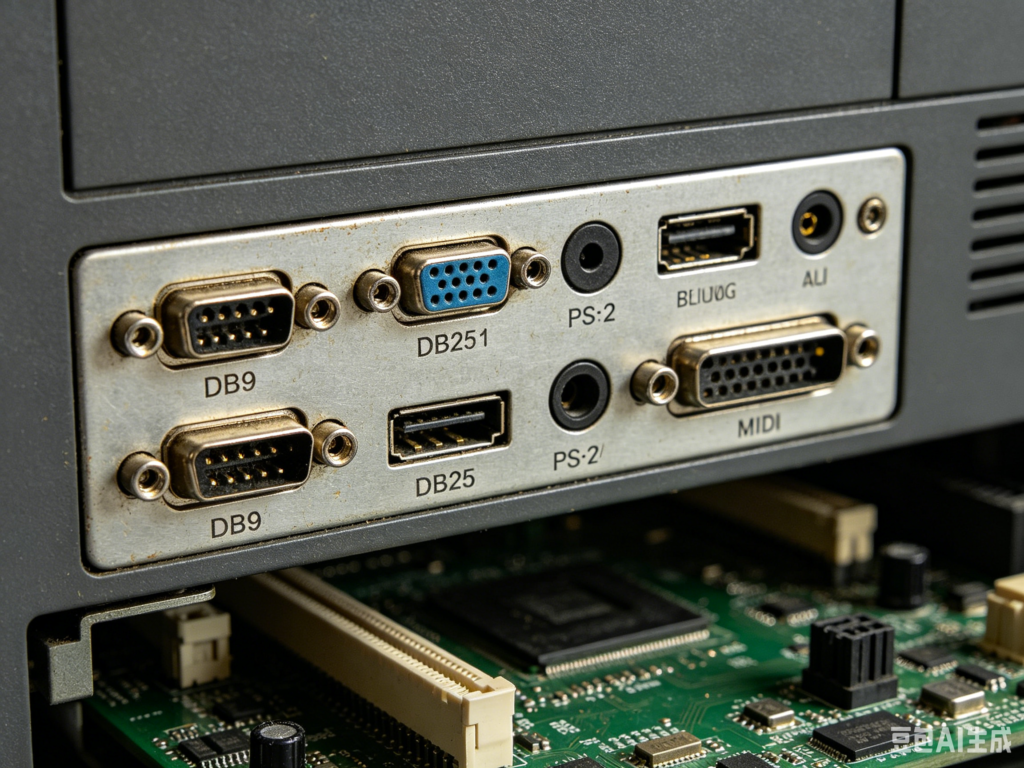
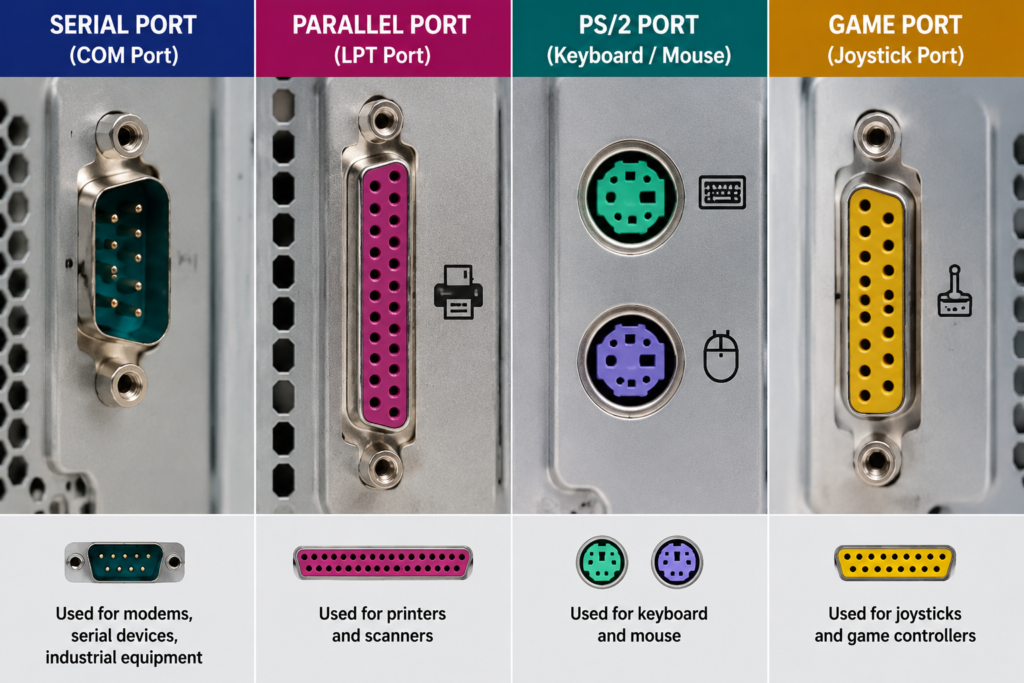
Connector chaos: Serial ports, parallel ports, PS/2 ports, game ports and proprietary printer connectors all coexisted, each for a specific type of peripheral with no unified standard
Poor user experience: almost no interfaces supported hot swapping; users had to shut down and reboot to change peripherals. Drivers were brand-specific and cumbersome to install
Limited performance: legacy interfaces offered slow transfer speeds and weak power delivery, unable to keep up with the growing variety of peripherals
Side-by-side comparison photo of legacy PC ports: serial, parallel, PS/2, and game port.
2.2 Formation of the Industry Alliance
To solve these problems, industry leaders collaborated to develop the USB standard:
Initiation: 1994–1995
Key companies: led by Intel, in partnership with Microsoft, IBM, Compaq, DEC, and Nortel
Governing body: the USB Implementers Forum (USB-IF) was established to oversee long-term standard development, certification testing, and industry compliance.
3. Main USB Physical Connector Types
USB refers to the protocol standard, while the physical shape of the port is called the connector form factor. Below are the five main generations of USB connectors.
Comparison of USB Connector Types
Connector Type
Key Features
Common Applications
Current Status
Type-A (Standard-A)
Flat rectangular shape, one-way insertion, largest form factor
Desktop PCs, chargers, standard USB flash drives, keyboards/mice
Still widely used, gradually being replaced by Type-C
Type-B (Standard-B)
Square-shaped, robust locking design
Older printers, scanners, some monitors
Mostly obsolete, limited to legacy professional equipment
Mini-USB
Trapezoidal small form factor, relatively bulky
Early MP3 players, digital cameras, old portable devices
Obsolete, replaced by Micro-USB
Micro-USB
Slim one-way design with retention latches
Android phones (2007–2019), portable hard drives, small gadgets
Still present on legacy devices, phased out of new products
Modern smartphones, laptops, tablets, docks, high-end peripherals
Current industry standard, globally mandated for consumer electronics
Type-C: The Ultimate Connector Form Factor
Introduced in 2014, USB Type-C solves nearly all the limitations of previous connectors:
Key advantages: fully reversible, slim profile, 24-pin design with extremely high bandwidth capacity
All-in-one capability: carries high-speed data, PD fast charging, 4K/8K video output, and digital audio simultaneously
Industry trend: the EU has mandated USB-C as the standard charging port for all consumer electronics since 2024, making it the global unified interface.
4. USB Standard Versions and Naming Evolution
A common source of confusion is the difference between connector shape and protocol version: the shape is the physical port, while the version determines speed and feature capability. USB has gone through multiple generations, with several rebranding campaigns that often cause confusion for consumers.
Complete USB Version Specification Table
表格
Standard Version
Release Year
Max Theoretical Speed
Typical Port Color
Official Current Name
Key Features
Common Use Cases
USB 1.0 / 1.1
1996 / 1998
12 Mbps
Black / White
None (obsolete)
First generation, established plug-and-play, 5V/500mA power
Professional workstations, gaming, high-speed productivity
Important Naming Note
The USB-IF has rebranded older standards multiple times for marketing purposes, with no actual performance improvement:
USB 3.0 → renamed USB 3.1 Gen1 → renamed USB 3.2 Gen1 — speed remains 5Gbps throughout
Products advertised as “USB 3.1” are almost always original USB 3.0. Always check for the “5Gbps / 10Gbps” speed rating when purchasing.
5. Key Technology: USB Power Delivery (PD) Charging Standard
Power delivery is a separate specification within USB, independent of data transfer. USB Power Delivery (USB-PD) is the current dominant universal fast-charging protocol.
5.1 Core Overview
USB-PD is a power delivery specification that operates separately from data protocols. It negotiates power levels via the CC pins on a Type-C connector, dynamically adjusting voltage and current for high-power charging. It evolves independently from USB data versions.
USB-PD Version Comparison
表格
PD Version
Release Year
Max Power
Key Upgrade
PD 1.0
2012
Multi-voltage levels
First generation, now obsolete
PD 2.0
2014
60W
Fixed voltage levels, foundation of Type-C charging
PD 3.0
2017
100W
Added Programmable Power Supply (PPS) for finer voltage control, optimized for smartphone fast charging
PD 3.1
2021
240W
Added Extended Power Range (EPR), supports laptops and monitors
Core value: breaks down walled gardens of proprietary fast-charging protocols, enabling a single charging cable to work with phones, tablets, laptops, and monitors.
6. Core Functions and Real-World Applications
6.1 Data Transfer
The most fundamental function: file transfer between flash drives/hard drives, phone-to-computer sync, device firmware updates, and peripheral command communication.
6.2 Graduated Power Delivery
USB uses tiered power delivery to match device requirements:
Low power: 5V/0.5A for mice, keyboards, headsets, and flash drives
High power: PD fast-charging mode up to 240W for smartphones, tablets, laptops, and monitors
6.3 Advanced Expansion Features
USB On-The-Go (OTG): smartphones or tablets can act as a host to connect flash drives, keyboards, and game controllers directly
Docking stations: a single Type-C port can expand to Ethernet, HDMI, card readers, and multiple USB ports — essential for thin-and-light laptops
Multimedia over USB: via DisplayPort Alt Mode, Type-C can output 4K/8K video and digital audio, replacing separate video, charging, and data cables with one.
Universal compatibility: works across Windows, macOS, and Linux, with no brand lock-in — the most widely accepted interface standard in the world
Exceptional ease of use: plug-and-play with hot-swap support, no complex setup or reboot required, near-zero learning curve
High scalability: supports cascading hubs, with up to 127 devices addressable from a single host port
Excellent cost efficiency: standardized mass production keeps cables and devices affordable, with wide availability and easy replacement
Forward and backward compatibility: every new generation is required to work with older devices, protecting users’ existing investments
8. Common Misconceptions and Buying Pitfalls
Myth 1: Every USB port is a charging port
Fact: USB is a combined data + power standard, but not every port supports fast charging. Charging speed depends on PD support or proprietary charging protocols. A basic USB 2.0 port only provides 5V/0.5A of baseline power.
Myth 2: All Type-C cables work the same
Fact: Type-C is only the connector shape. Cables vary widely in capability:
A USB 2.0 Type-C cable has only 4 wires, supporting only low-speed data and basic charging
USB 3.2 and USB4 cables have more pins, enabling high-speed data, video output, and high-power PD charging
Using a lower-spec cable will result in reduced speed, failed fast charging, or no video output.
Myth 3: All Type-C ports have the same features
Fact: Type-C describes only the physical shape. Internal protocols determine functionality:
Some Type-C ports only support charging and low-speed data
Full-featured Type-C ports support high-speed data, video output, and PD charging simultaneously
Thunderbolt ports are the most capable Type-C ports, but not all Type-C ports are Thunderbolt.
Myth 4: Port color determines speed
Fact: Blue, red, and teal plastic inserts are manufacturer reference guidelines, not mandatory standards. Some brand-name PCs have blue USB 2.0 ports or black USB 3.0 ports. Actual speed is determined by the controller chip and cable specification.
Myth 5: A lightning bolt logo means it’s a Thunderbolt port
Fact: Always look for the official Intel Thunderbolt certification logo. Many regular Type-C ports print a lightning icon simply to indicate “always-on charging” when the system is off, not Thunderbolt capability.
9. Industry Impact and Future Trends
9.1 Industry Impact
Ended connector fragmentation: phased out serial, parallel, PS/2 and other legacy ports, unifying global peripheral connectivity and accelerating digital adoption
Transformed the supply chain: drove standardization across electronics, peripherals and charging industries, becoming a global benchmark for technical standardization
Type-C is now ubiquitous and the default connector for consumer electronics
USB4 and Thunderbolt are deeply converging, with single-cable docking becoming standard for laptops and workstations
240W PD fast charging is mainstream for high-end devices, gradually replacing barrel-style laptop power connectors
9.3 Future Directions
Higher bandwidth: continued evolution toward 120Gbps and beyond, supporting future 8K/16K video and ultra-fast storage
Technology convergence: combining wired USB with wireless transmission, paired with AI power management for optimal speed and efficiency
Broader ecosystem: expanding beyond consumer electronics into IoT, smart home, and industrial control applications
10. Summary and Key Takeaways
After nearly 30 years of development, USB has grown from a solution to connector chaos into the foundational infrastructure of the global digital industry. Its success holds valuable lessons:
Keys to success: industry collaboration on a unified standard, relentless focus on user experience, and backward compatibility that protects existing user investments
Historical significance: redefined how electronic devices connect, serving as core infrastructure for the modern digital industry
Industry lesson: standardization, ecosystem compatibility, and user-centric design are the foundations of technology that stands the test of time.